What a VPN changes under your sync tool
Turning on a VPN client alters far more than packet encryption. On connection, it may override your default gateway, inject internal corporate subnet routes, redirect DNS queries to a private resolver, or drop non-tunnel traffic outright. Each change can trip up file synchronization, and the exact culprit comes from the VPN profile rather than the sync program.
- Routes: traffic that used to go straight to the router now goes through the VPN gateway.
- Local network visibility: the home or office LAN may stop being reachable from your device.
- Kill switch: a rule that drops anything outside the tunnel, including local traffic, if the VPN link falters.
- DNS: names resolve through the VPN's servers, so internal and external names can change.
- Proxy: corporate profiles often push a proxy that only some applications honour.
- One slot: phones typically allow one active VPN at a time, so a second VPN tool replaces the first.
Split tunnel vs full tunnel for file sync
With a full-tunnel VPN, every outbound packet leaves your machine through the remote VPN gateway. Cloud or relay sync continues operating because that tunnel still reaches public internet hosts, whereas tools relying on the local subnet, like peer discovery for a nearby PC, usually fail.
Under split tunneling, only traffic bound for specific prefixes, such as workplace subnets, enters the encrypted tunnel. Local peer discovery often keeps working here unless client policy explicitly blocks LAN neighbors or an internal corporate CIDR collides with your home subnet.
| Profile | LAN tool (LocalSend, SMB share) | Internet-based sync | What to check |
|---|---|---|---|
| Full tunnel | Often breaks; local route replaced | Keeps working while the tunnel is up | Is local-network access allowed in the client? |
| Full tunnel + kill switch | Typically unreachable by design | Works only while the tunnel is up | Is the kill switch rule dropping LAN traffic? |
| Split tunnel | May survive | Keeps working | Do routes for company subnets overlap your LAN range? |
| Corporate VPN with proxy | Not covered by policy docs | Needs the proxy or an allow-listed host | Which hosts may be reached outbound? |
| Mesh VPN (Tailscale) | Works on overlay addresses | Works | Another VPN running next to it? |
How common tools fare with a VPN on
| Tool | Network model | With another VPN active | Main failure mode |
|---|---|---|---|
| Foldpair | Chosen folders travel via a relay that both computers connect to, so they may sit on different networks. | Compatible with a VPN you already run; the normal workflow adds nothing for the VPN. | The network refuses the connection to the relay. Push one throwaway file through your own profile to find out. |
| LocalSend | Device-to-device on one local network; its site states it is not for use over the internet. | Only if the VPN leaves the LAN reachable and lets LocalSend traffic through. | A full tunnel, kill switch, isolated guest SSID or host firewall hides the neighbours. |
| Syncthing | Tries a direct link first, can fall back to community relays, and supports SOCKS5, HTTP or HTTPS proxies. | Can work directly; you may have to set up a relay or proxy. | Policy that blocks discovery, direct traffic, relays or the proxy route. |
| Dropbox | Talks to its cloud over the internet and lets the desktop app use a proxy. | Usually fine on a consumer VPN; a managed network may want a firewall or proxy exception. | Security software or company policy cutting the app off. |
| Tailscale | A mesh VPN, so it is the network layer itself. | Sometimes; its FAQ says most pairings with a second VPN need a workaround. | Clashing firewall rules, one active VPN at a time on phones, DNS handling, or address overlap with 100.64.0.0/10, the block Tailscale hands out. |
Treat the table above as a digest of published vendor documentation rather than a throughput benchmark. Most real-world headaches start in that final column.
Why LAN-discovery tools fail with a VPN on
Apps like LocalSend locate nearby machines by broadcasting discovery packets onto the LAN. Once a full-tunnel VPN overrides local routing, or an active kill switch drops untunneled LAN frames, those broadcasts never arrive at neighboring endpoints. Isolated guest Wi-Fi produces the identical symptom even when a VPN is turned off, since AP client isolation blocks wireless stations on the same SSID from talking directly.
LocalSend's GitHub repository documents its port requirements alongside the AP-isolation caveat, making this boundary explicit. For a fuller breakdown, see why LocalSend does not work over the internet.
Why a relay connection avoids the route problem
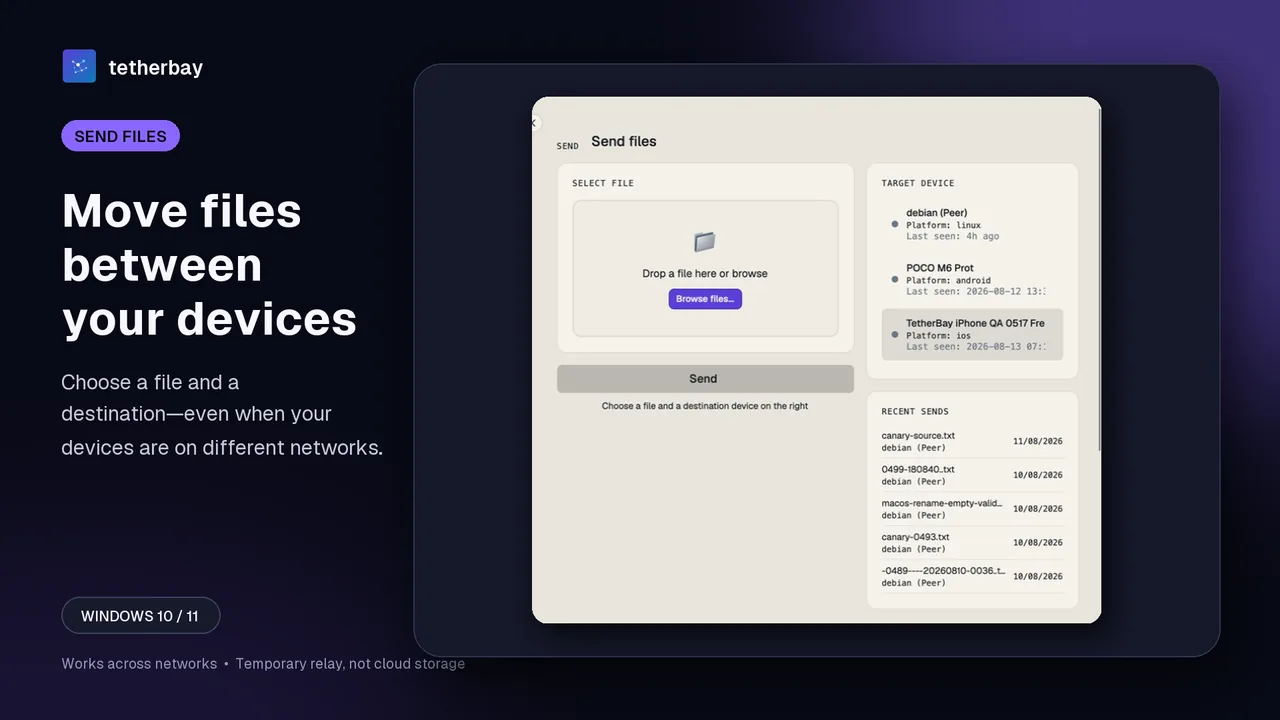
Peer-discovery utilities require a direct network path between neighboring machines. Relay-based sync only requires outbound HTTPS reachability to the relay host, which looks like standard internet traffic that a full-tunnel VPN already forwards. Because of that routing model, Foldpair handles separate networks cleanly and runs alongside your existing VPN.
Inside an end-to-end encrypted folder, your computer encrypts file contents locally with AES-256-GCM before transmission. Transport TLS wraps the wire session underneath, leaving the relay with ciphertext blobs while decryption keys stay on your endpoints. File names and byte sizes remain visible to the relay.
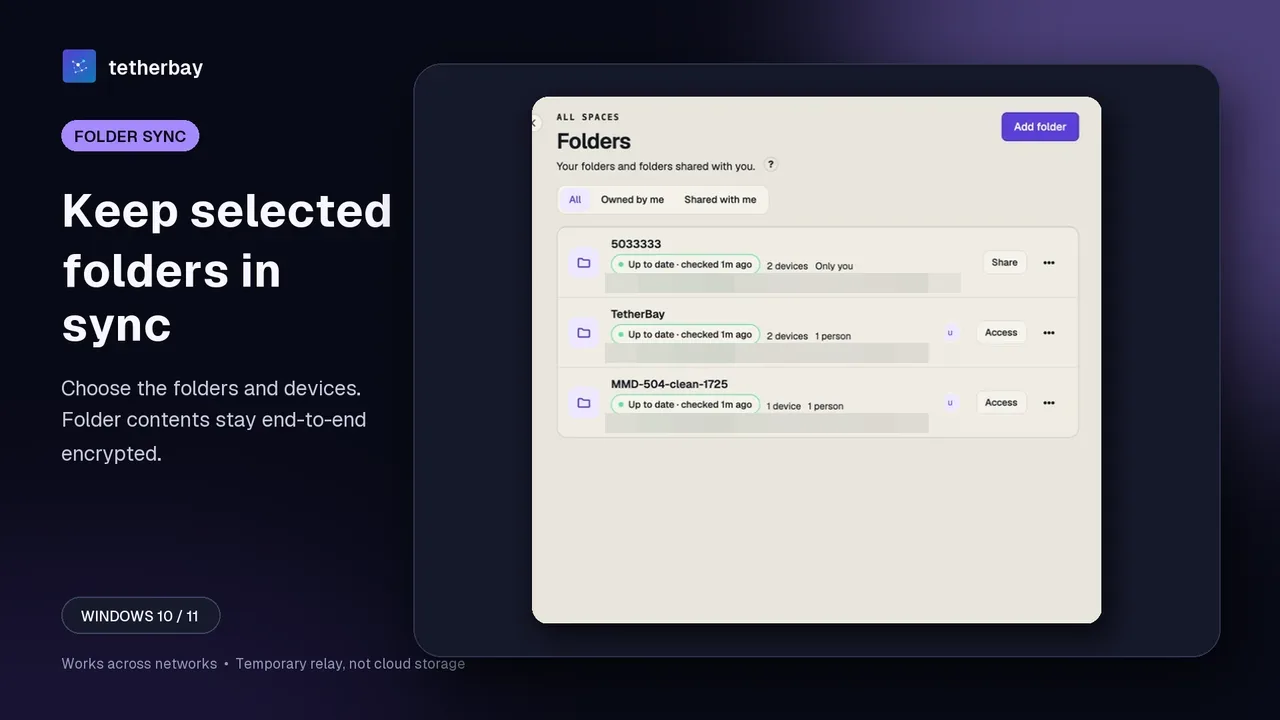
When a target machine is powered off, encrypted updates queue at the relay as ciphertext until that computer comes back online.
Work VPNs and managed laptops
On a managed company laptop, you seldom pick your own VPN settings. Administrators often mandate a full-tunnel VPN, enable a kill switch, point DNS at internal resolvers, intercept TLS traffic, or restrict outbound connections to an approved host list. Even when ordinary websites load in a browser, any one of those controls can block a desktop sync agent that worked fine on home Wi-Fi.
- Ask IT which tunnel type your profile uses and if the local network stays reachable.
- Ask whether an allow-list or proxy applies to unfamiliar hostnames.
- Do not install a second VPN or change proxy or DNS settings on your own; get the exact change approved.
- Separate personal and company files, and only sync what you may legally move.
Symptom to fix
| Symptom | Likely cause | Fix |
|---|---|---|
| Peers vanish the moment the VPN connects | Full tunnel replaced the local route | Switch the profile to split tunnel, or use a relay-based tool |
| Works with VPN off, fails with it on | Kill switch or firewall drops LAN traffic | Allow local network access in the VPN client |
| Browser works but sync client cannot connect | Proxy or allow-list in the profile | Ask IT to allow the service host |
| Sync fails only after installing a second VPN | One active VPN at a time, or overlapping ranges | Disconnect one, or use a documented coexistence mode |
| Names stop resolving | DNS pushed by the VPN | Test with a known address, then ask the VPN admin |
Test sync under your VPN in five steps
- Download Foldpair on both computers and log in with one account.
- Turn the VPN on where you need it, with your everyday profile.
- Pair the computers with Add another device, then add a small test folder.
- Put one small file in the folder and confirm it appears on the other computer.
- If it fails, note whether the VPN is full or split tunnel and ask IT about access to the service before changing anything.
Maintain an independent backup of critical files during testing, since two-way synchronization propagates file deletions too.
Which tool when a VPN is involved
- Clean home LAN with the VPN switched off: a LAN tool is fine.
- Full tunnel, guest Wi-Fi or a second network: a relay-based tool, which is the case Foldpair is built for.
- Already on a mesh VPN: your overlay may already solve it.
- Strict corporate network: confirm the policy before installing anything.
Frequently asked questions
Does folder sync work with WireGuard or NordVPN on?
Internet-based sync generally keeps working through a full-tunnel VPN because the tunnel reaches the internet. LAN-discovery tools often break. Foldpair is compatible with an existing VPN; test a small file through your own profile.
Why does LocalSend stop working when my VPN is on?
LocalSend relies on the local network. A full tunnel or kill switch can remove local reachability, so devices stop seeing each other.
Is split tunnel or full tunnel better for sync?
Split tunnel keeps local routes in place, which helps LAN tools. Full tunnel protects you on public Wi-Fi at the price of hiding the LAN.
Can I run Tailscale and another VPN together?
Tailscale documents that most combinations need a workaround, and phones usually allow one active VPN at a time.
Will a corporate proxy block Foldpair?
Possibly. Proxy and allow-list rules differ per company and are not described in our documentation, so ask IT and test with a small file.
Can the relay see my files?
It cannot open encrypted file contents, but it can see file names and sizes.
Method and limits
Statements covering third-party software come from each project's official docs as checked on 14 October 2026. Details about Foldpair reflect our verified product specification reviewed in November 2026. Because VPN software varies and enterprise policies vary even wider, testing against your actual tunnel profile decides the outcome.
Related guides and comparisons
Sources and related reading
- LocalSend official repository — the project repository: local-network design, required ports and the access-point isolation caveat; checked October 14, 2026.
- LocalSend official site — the project's own statements on local Wi-Fi use, offline operation, encryption, account-free use and platform list; checked October 14, 2026.
- Syncthing — Using Proxies — how Syncthing works through SOCKS5, HTTP and HTTPS proxies, and the limits it lists; checked October 14, 2026.
- Syncthing — Relaying — when Syncthing falls back to relays and why that path is slower; checked October 14, 2026.
- Dropbox — Connect the desktop app to a proxy server — Dropbox desktop proxy options, automatic and manual; checked October 14, 2026.
- Dropbox — Allow firewall and security permissions — Dropbox warning that firewalls and security software can interfere with sign-in and sync; checked October 14, 2026.
- Tailscale — Can I use Tailscale alongside other VPNs? — Tailscale FAQ on running next to another VPN: conflicts, the one-VPN limit on phones, workarounds; checked October 14, 2026.
- Tailscale — Using Tailscale with your firewall — Tailscale firewall page: direct paths, peer relays, DERP and known firewall limits; checked October 14, 2026.