Three layouts that never share a router
Running on separate networks means more than working from two addresses. Locate your setup in the table below, since each topology calls for its own verification check.
| Layout | Example | What to test first |
|---|---|---|
| Home desktop and office laptop | The desktop at home keeps a project folder; the office laptop edits it on weekdays | A save at the office shows up at home that evening |
| Laptop on a phone hotspot | You tether the laptop to a phone while the desktop stays on its home Wi-Fi | The first sync on a metered link, with a small file before anything large |
| Hotel or cafe desk | The laptop uses guest Wi-Fi while the desktop sits at home | Whether the guest network lets the app reach the relay |
| Two homes | A parent's computer and yours, on two different internet providers | That both computers are signed in to the same account |
Every step ahead assumes zero direct LAN reachability between your machines. Neither endpoint opens a direct socket to the other.
Why the two computers do not need to see each other
Peer-to-peer utilities depend on an end-to-end network route that separate Wi-Fi routers seldom permit. Foldpair avoids that requirement by having each machine dial out to an authenticated temporary relay that forwards updates across.
When end-to-end encryption is active on a folder, your computer encrypts file contents locally with AES-256-GCM prior to upload while decryption keys stay on your endpoints. File names and byte sizes remain visible to the relay. Rather than acting as cloud storage, the relay buffers pending ciphertext up to each tier's in-flight limit: 1.5 GiB on Free or 10 GiB on Pro.
Set it up in five steps
- Install Foldpair from the download page on each computer (Windows, macOS or Linux) and log in with one account.
- On a computer that is already signed in, choose Add another device, then on the second computer scan the QR code or paste the link or code. See the device pairing guide.
- Choose Add folder on the computer that holds the files and pick a test directory first, not your only copy of anything.
- In the folder's devices panel turn on the second computer so it keeps a copy (selective sync); nothing is uploaded until a device is on.
- Move one of the computers to the other network, or its hotspot, and drop one small file into the folder.
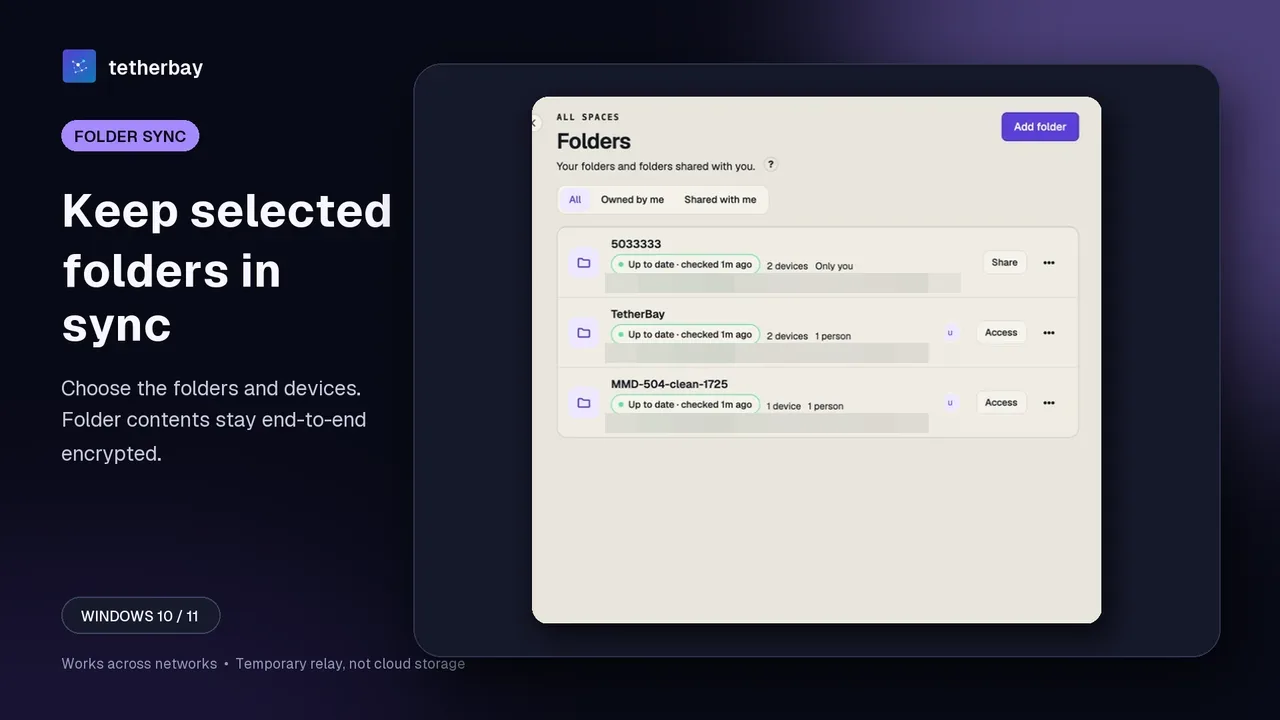
Setting this up never touches your router configuration.
Test every network once, with a small file
Run a quick trial transfer as soon as you join an unfamiliar network, well before a deadline depends on those files.
- Home: confirm the file arrives, then note the status shown on the folder.
- Office: repeat on the office network. A company firewall or proxy can change the result, so ask IT instead of working around it.
- Hotspot: repeat on the phone link and watch your data allowance.
- Guest Wi-Fi: try it; behaviour on isolated guest networks is not documented, so treat the first run as a test.
Proof that it worked
- The file opens correctly on the second computer and its size matches.
- The folder status on both sides reads up to date. If it does not settle, open check sync status and the relay help.
- A change on one side, then the other, appears both ways.
- One computer is switched off while you edit on the other; after it wakes the edit is there.
If the other computer is switched off
Edits saved while your second machine is powered down queue at the relay in ciphertext form and download after it reconnects, provided your plan's retention window has not elapsed. Because any individual file exceeding available buffer headroom pauses in the local queue, review our relay documentation prior to syncing huge assets.
For directories where end-to-end encryption is disabled, modified files of 256 KiB or larger can send a compact binary delta rather than the whole file once a baseline version exists. End-to-end encrypted folders always re-upload modified files completely.
Adding a person on a third network
Bringing in a teammate on yet another network follows the identical pattern: they install the client, accept your folder invite, and pull updates across their own internet link. Every collaborator holds an Owner, Editor, or Reader role; Readers can download and inspect files, whereas the server blocks any Reader upload or modification attempt. Details live under folder sharing and member roles.
If a VPN or another tool is involved
Foldpair runs cleanly alongside an active VPN client. Our VPN guide examines how split-tunnel versus full-tunnel routing impacts other sync software, while restrictive enterprise links are addressed in the CGNAT and firewall guide.
When all you want is an ad-hoc transfer across shared local Wi-Fi, the LocalSend comparison covers where a LAN-only utility makes more sense.
Good fit and poor fit
| Good fit | Poor fit |
|---|---|
| A folder you edit on two computers that are rarely on one network | Copying a huge library between two machines on a LAN you run |
| Work and home computers that must hold the same current files | A company rule that forbids any external relay, even for ciphertext |
| Travel with a laptop on hotspots and guest Wi-Fi | Phones as folder-sync endpoints: Android does one-off file transfer only, and iOS has no public release |
Frequently asked questions
Can I sync two computers on different Wi-Fi networks?
Yes. Foldpair is designed to synchronize selected folders between devices on different networks through a temporary, authenticated relay. Test with a small file first.
Does one computer have to stay on?
No. Changes sit on the relay as ciphertext and are handed over once the other computer returns, within the plan's retention period.
Does it work on a phone hotspot?
The computers sync like any other network; watch your data allowance. Test a small file first.
Do I need to configure my router?
The setup steps never ask for it. Whether a particular restricted network allows access to the service is not documented, so test it.
Is my data readable by the relay?
The relay cannot open encrypted file contents, but it can see file names and sizes.
Can I sync folders to my Android phone?
No. The Android app handles one-off file transfers, not folder or clipboard sync.
Related guides and comparisons
Sources and related reading
- How Foldpair works — first-party overview of the relay and the encryption boundary; checked November 17, 2026.
- Foldpair security — first-party security overview: protected payloads and key handling; checked November 17, 2026.
- The relay buffer — first-party relay help: buffer size, offline queueing, retention by plan; checked November 17, 2026.
- LocalSend official site — the project's own statements on local Wi-Fi use, offline operation, encryption, account-free use and platform list; checked October 14, 2026.
- Syncthing: Relaying — when Syncthing falls back to relays and why that path is slower; checked October 14, 2026.
- Tailscale: Can I use Tailscale alongside other VPNs? — Tailscale FAQ on running next to another VPN: conflicts, the one-VPN limit on phones, workarounds; checked October 14, 2026.