Why LocalSend stops at your router
LocalSend never queries a central server to locate your other machine. Instead, every running instance broadcasts its presence across the LAN, listens for nearby peers, and sends files directly peer to peer. LocalSend's own website spells this setup out clearly: transfers stay inside your local network and require no internet connection.
Consumer routers drop those local discovery packets at the WAN boundary, and two separate Wi-Fi setups form two isolated LANs. As a result, an office laptop and a home desktop remain invisible to one another regardless of how fast both links run.
- Phone on mobile data, laptop on Wi-Fi: the phone sits in the carrier's network, not in yours.
- Two different routers: home and office, or two flats, are separate networks with separate address ranges.
- Guest SSID or hotel Wi-Fi: many guest networks isolate clients from one another, so even two devices on the same SSID can be blind to each other.
- Full-tunnel VPN on one side: the VPN can hide the local network from the app. The VPN guide covers that case.
Nothing here counts as a software defect. LocalSend excels at its intended job: quick file handoffs among machines in the same place.
Quick check: is this a network problem or an app problem?
| What you see | Likely cause | What to do |
|---|---|---|
| Both devices on the same home Wi-Fi, still no peers | Client isolation or a firewall on the router or the device | Turn off isolation for the SSID, or allow the app through the local firewall |
| Devices on different SSIDs of one router | The guest network is walled off from the main one | Join both devices to the same SSID |
| One device on mobile data | Different network; local discovery cannot cross it | Use one of the three fixes below |
| One device behind a company VPN | Full tunnel or kill switch hides the local network | Ask IT about split tunnel, or use a tool that connects out to a relay |
| Devices in different cities | No shared local network exists | Use one of the three fixes below |
When two machines genuinely share a single unsegmented LAN yet fail to discover one another, the culprit sits locally rather than upstream. LocalSend's GitHub repository lists its required port numbers and flags AP client isolation as a common blocker.
Three ways to get a file to a device on another network
Every option below tackles cross-network delivery from a distinct angle and carries its own trade-off. Base your choice on transfer frequency and whether the target machine stays awake.
| Approach | How it crosses networks | Best for | Watch out for |
|---|---|---|---|
| Authenticated relay (Foldpair) | Both devices connect out to a relay that passes encrypted changes along; neither needs to see the other's network | A folder you keep using on two or more computers, and recipients that are sometimes offline | Needs an account and an install on both ends |
| VPN mesh (for example Tailscale) | Devices join a private overlay network, so a local-network tool sees a reachable address | People who already run a mesh and want to keep a LAN tool | Another network layer to maintain, and it may conflict with a work VPN |
| One-off download link | The file goes to a host and the recipient opens a URL | A single file to someone who has nothing installed | The file sits on a third-party host until the link expires; check who can open it |
Fix 1: a relay both devices connect to
Foldpair keeps chosen folders aligned across machines via an authenticated temporary relay. Because each computer dials out to that relay independently, neither needs a shared LAN; Foldpair is built for separate networks and works alongside an active VPN.
When a folder uses end-to-end encryption, your machine encrypts file payloads locally using AES-256-GCM prior to upload while keys remain on participating devices. File names and byte sizes stay visible to the relay. Think of it strictly as a transit relay rather than cloud storage: there is no web file viewer or hosted storage tier.
When the receiving machine is powered down, pending updates wait at the relay in ciphertext form and download after that computer reconnects inside your plan's retention window. Undelivered backlog has a per-plan ceiling: 1.5 GiB in transit on Free, or 10 GiB on Pro.
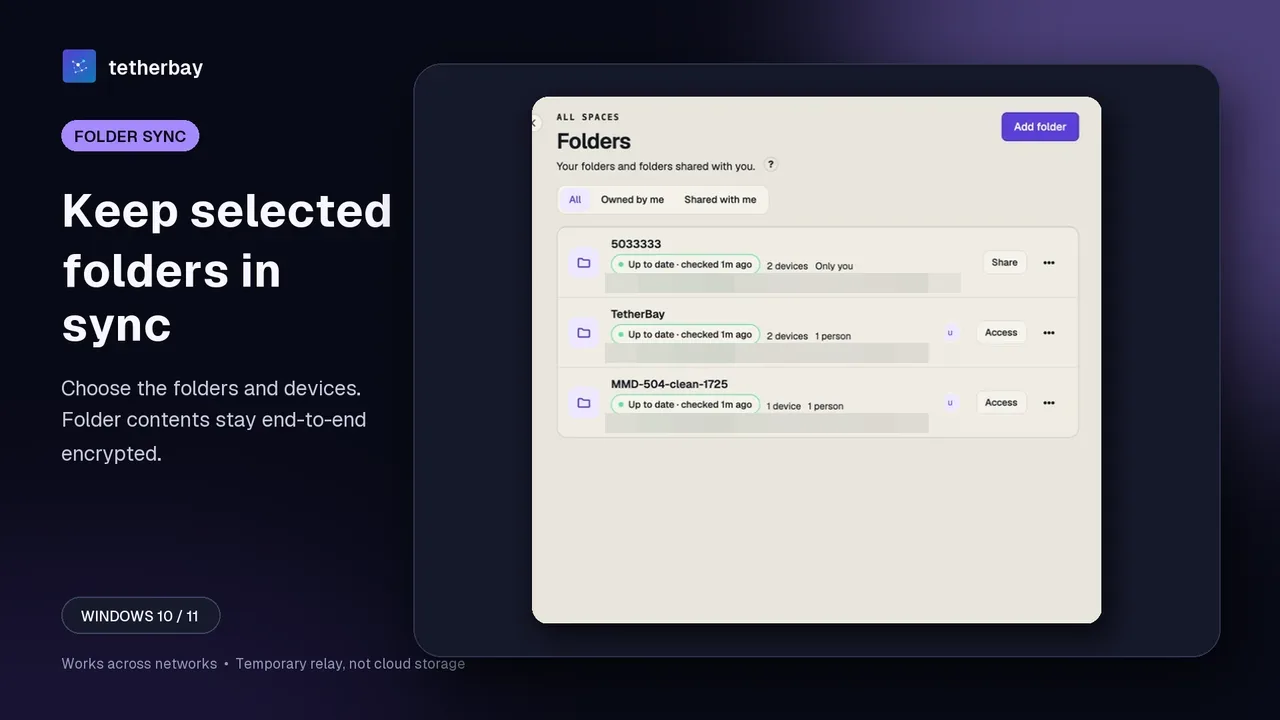
Mobile support covers a narrower scope today. Our published Android beta provides single-file inbox and outbox transfers without folder synchronization, while no public iOS build is available yet.
Fix 2: put both devices on one VPN mesh
Overlay VPNs like Tailscale assign every enrolled machine a stable IP on a private virtual network regardless of the underlying Wi-Fi. In Tailscale's documentation, WireGuard tunnels link endpoints across separate networks and NAT boundaries. After both machines join that overlay, you can mount a share or run utilities that connect by IP address.
LocalSend's documentation makes no guarantees about multicast peer discovery across virtual overlays, so verify that setup before relying on it. Most mesh users stick to SSH, SFTP, or mounted shares instead. You pay in upkeep: every endpoint runs and maintains an extra network daemon, and mobile OSes typically allow just one active VPN tunnel.
Fix 3: send a one-off download link
If the other person lacks client software and just needs a single file once, sharing a download URL takes the least work. Upload the item to a trusted host, pass the address along, and let them fetch it in any web browser.
- Pick a service where you can set an expiry and a password.
- Remember that the file lives on someone else's server until the link dies.
- Do not use this for a folder you intend to keep current: every change means another upload and another link.
Try the relay route on two computers
- Download Foldpair for Windows, macOS or Linux on both computers and log in with one account.
- On the first computer choose Add another device, then on the second one scan the QR code or paste the code.
- Add a small test folder, not your only copy of anything, and turn the second computer on for it.
- Drop one small throwaway file in, then watch it appear on the other side while the two computers are on different Wi-Fi networks.
- Once that looks right, add the folders you actually want kept in sync.
Our network-by-network guide walks through home, workplace, and mobile-hotspot topologies in greater depth.
Which fix should you pick?
- Same room, same Wi-Fi: stay with LocalSend; it is the right tool.
- Same folder needed on two computers day after day: the relay route.
- Already on a mesh VPN: try your existing overlay first.
- One file, one time, to someone with nothing installed: a link.
Read the side-by-side comparison with LocalSend for plan details, OS coverage, and practical trade-offs when weighing both options.
Frequently asked questions
Can LocalSend send files over mobile data?
No. A phone on mobile data is not on your local network, and LocalSend's FAQ says transfers do not leave it. If the phone shares a hotspot and the computer joins that hotspot, both are on one network and LocalSend can work.
Is there a LocalSend setting to connect over the internet?
The project does not document one. Its design is local discovery plus direct transfer, so the options are a different tool or a shared network path such as a VPN overlay.
Does it work if I use a VPN with LocalSend?
The LocalSend docs do not promise it. A full-tunnel VPN or a kill switch can hide the local network, so test your exact profile first.
Does the other computer have to be online when I send with Foldpair?
No. Changes made while a device is offline sit on the relay as ciphertext and are handed over once it reconnects, inside your plan's retention window.
Can Foldpair read my files?
The relay cannot open encrypted file contents, but it can see file names and sizes. Contents of end-to-end encrypted folders are sealed on your computer with AES-256-GCM before upload.
Should I test with real files?
Start with one small throwaway file and keep another copy of anything you cannot recreate. Once the first transfer looks right on both devices, add your real folders.
Related guides and comparisons
Sources and related reading
- LocalSend official site — the project's own statements on local Wi-Fi use, offline operation, encryption, account-free use and platform list; checked November 15, 2026.
- LocalSend official repository — the project repository: local-network design, required ports and the access-point isolation caveat; checked October 21, 2026.
- What is Tailscale? — Tailscale's overview of linking devices over NAT with WireGuard; checked November 15, 2026.
- Foldpair vs LocalSend: decision guide — first-party comparison with pricing, platforms and trade-offs; checked November 15, 2026.