The path of one change, step by step
- You save or add a file inside a folder you chose to sync. The desktop app notices the change on disk.
- For a folder with end-to-end encryption enabled, the app encrypts the file contents on the device. Files are cut into frames of up to 1 MiB, and each frame is sealed with AES-256-GCM. A folder where it was never enabled is uploaded as plaintext.
- The content is uploaded to the relay over TLS, as ciphertext for an end-to-end folder. The relay checks that the device is authenticated and which folder it belongs to.
- The relay holds the encrypted data until your other devices have fetched it, or until your plan's retention window ends.
- Each receiving device downloads the data, verifies every frame, decrypts it with the folder key it holds, and writes the file into its own copy of the folder.
- Once every participating device has confirmed delivery, the relay drops its copy. Your working copies remain on your devices.
Two things follow from this design. First, for a folder with end-to-end encryption enabled the relay never needs a key: it receives and forwards content that is already encrypted, which is covered in detail on the security page, including the plaintext exception for a folder where it was never enabled. Second, the relay is not a file browser. There is no place to log in and open your folder from a browser, because the relay carries sync traffic between your devices and is not a cloud-storage product.
The parts of the system
| Part | What it does | What it holds |
|---|---|---|
| Desktop app and sync agent | Watches selected folders, encrypts and decrypts content, uploads and downloads changes, and shows status. | Your working files and the keys, in the operating system's secure store and in a user-only file the sync agent reads. |
| Authenticated relay | Routes traffic between your devices and holds undelivered encrypted data for a limited time. | Ciphertext for end-to-end folders (plaintext for a folder where it was never enabled), file names and sizes, and delivery state. |
| Account | Joins your devices together and decides which devices belong to you. | Your sign-in and a list of devices with their public keys. |
| Shared folder | A folder with one or more members, each an Owner, an Editor or a Reader. | A folder key distributed to member devices as sealed envelopes. |
| Android app (beta) | Sends and receives individual files between your devices. | Files you send or receive; it does not sync whole folders. |
Setting up devices and folders
There are three separate decisions, and it helps to keep them apart. Which devices are yours, which folders are synced, and who else can see a folder.
- Your devices. Install the app and sign in to the same account on each computer, or add a device from one you are already signed in on with a QR code, a link or a short code. That link or code can add a device to your whole account, so treat it like a password.
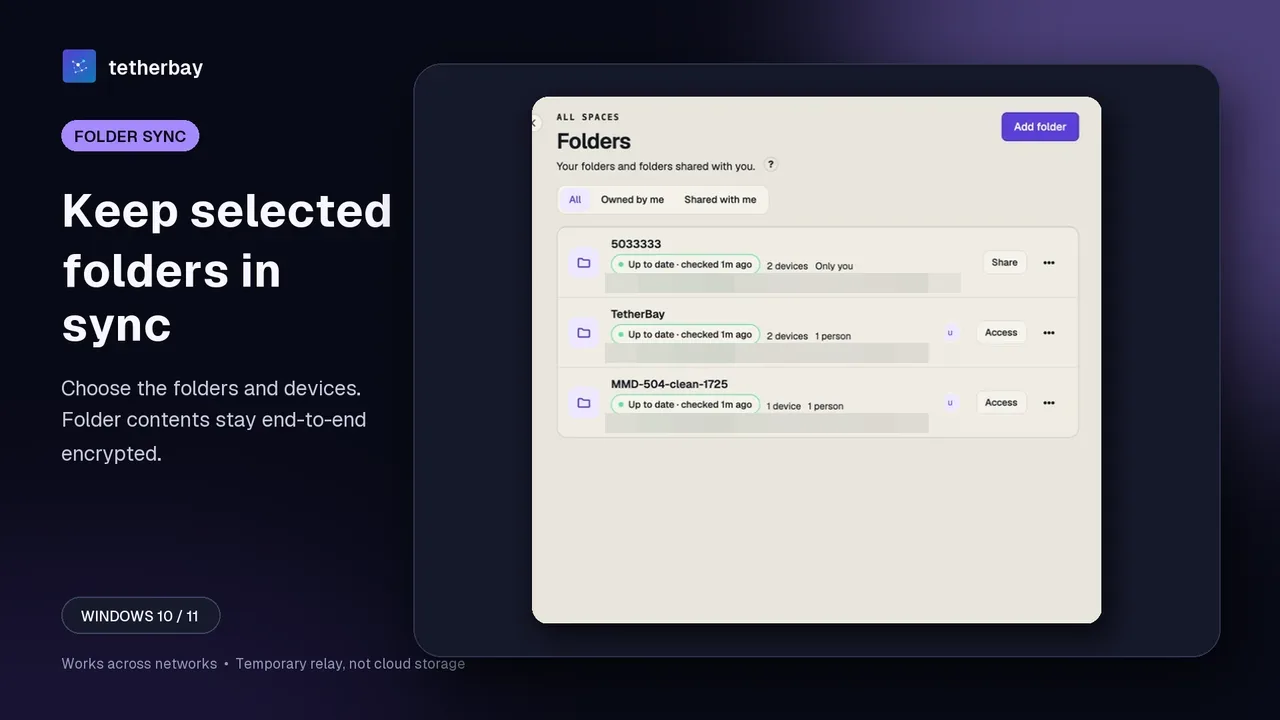
- Your folders. Each synced folder has its own list of devices with an on/off switch per device. A folder can sync to all your devices or to just two of them. Turning a device off stops further changes for that folder and leaves the files already on its disk alone.
- Other people. A folder reaches another person's account only through an invitation that they have to accept, and it carries a role: Owner, Editor or Reader. A Reader can read and download; the server rejects a Reader's uploads and edits.
The step-by-step screens are in the help pages for device pairing and member roles. Clipboard sync is a separate switch on each device and covers text and images between your own devices; folder members never receive your clipboard.
Different networks and existing VPNs
Because every device talks to the relay rather than to each other, your devices do not have to share a Wi-Fi network or even be online at the same time. A laptop on a hotel network and a desktop at home can sync the same folder as long as each can reach the service. Foldpair is designed to work across different networks and is compatible with an existing VPN, so there is no separate VPN to set up.
What a network can block is the connection to the service itself. Guest networks, corporate firewalls and carrier networks differ, and the product documentation does not yet publish a firewall allow-list or a guarantee for every restricted network. If a profile is restrictive, send a small test file through that exact network before you rely on it. Two articles go deeper: file sync with a VPN and file sync behind CGNAT and a corporate firewall. For a practical setup for two computers on separate networks, see the different-networks guide.
When a device is offline
Changes made while another device is offline wait on the relay until that device comes back, within the retention period of your plan (encrypted, for a folder with end-to-end encryption enabled). The relay holds a limited amount of undelivered data at one time. A single file larger than the currently free buffer space waits in the queue until room is available, but a file larger than the whole buffer of your plan (1.5 GB on Free) never fits.
| Plan | Undelivered data held at once | Retention window |
|---|---|---|
| Free | 1.5 GB | 24 hours |
| Pro | 10 GB | 7 days |
| Team | 30 GB | 30 days |
If a device returns after the window has passed, an online device can upload the file again on demand, so the device catches up as long as some device still holds the data. See the relay help article for what to do when a large file is waiting.
When two devices edit the same file
If two devices change the same file before either has synced, the app does not guess which one is right. The version that reached the relay first keeps the original name. On the device with the later conflicting edit, the app keeps that local edit beside it under a name that contains the word conflict and a time stamp, then applies the published version. You compare both copies and decide. Files that sync removes or replaces can also be kept in the folder's local recovery bin, as long as the local copy remains available. The conflict help page shows where to find them.
Checking that your devices agree
A green status is only useful if you know what it compared. The Check now action in settings asks every other device on your account to report a digest of each folder's file list (path, size and content hash). Devices agree for a folder when the digests match. The result names devices that were offline or did not answer instead of calling them in sync, and it says plainly when it cannot finish. The sync status page explains each result.
How this differs from other ways to move files
| Approach | Where the working copy lives | Do devices need to be online together? | Typical limit |
|---|---|---|---|
| Cloud drive | A provider-hosted copy, mirrored to your devices. | No. | Your files sit on the provider's servers long term. |
| Local-network transfer tool | On the two devices involved. | Yes, and they usually must be on the same network. | Does not reach a device on a different network. |
| Direct peer-to-peer sync | On your devices. | Usually yes, or a device must stay on as an always-on node. | Connectivity depends on the network between the devices. |
| Foldpair | On your devices, with a temporary relay in the middle. | No. Changes wait on the relay until delivery. | Needs the service reachable; the relay buffer and retention are limited by plan. |
This table describes categories, not products. For named, dated comparisons, see Foldpair vs LocalSend and sync files without a cloud drive, which compares the folder-sync tools side by side.
Platforms and plans
| Platform | Status |
|---|---|
| Windows | Desktop client available. |
| macOS | Desktop clients for Apple Silicon and Intel. |
| Linux | Desktop clients for x64 and arm64. |
| Android | Directly installable beta. One-off file transfer; full folder sync is not part of the current Android scope. |
| iOS | Not yet publicly installable; shown as coming soon. |
There is a free plan ($0, forever free) and paid Pro and Team plans, and downloading the app needs no credit card. The free plan allows two devices; plan limits for devices and relay space are defined in the service and shown in the app.
Frequently asked questions
Is Foldpair peer-to-peer?
No. It is device-first, because the working copies stay on your devices, but changes travel through an authenticated temporary relay. That is what lets devices on different networks sync without port forwarding or a shared Wi-Fi network.
Does Foldpair store my files in the cloud?
Not as a cloud drive. The relay is a temporary delivery buffer: it holds data only until delivery or the end of your plan's retention window, although under storage pressure it protects the latest live version of each file from early eviction. It is not a cloud-storage product with its own file browser or storage plans.
Do both devices have to be online at the same time?
No. Changes wait on the relay in encrypted form and are delivered when the other device returns, within the retention period.
Can I use Foldpair with a VPN?
Yes. It is compatible with an existing VPN and needs no separate VPN setup, provided the VPN or network allows access to the service.
What happens if two devices edit the same file?
Both versions are kept. The first version to reach the relay keeps the name, and the later local edit is preserved beside it as a conflict copy for you to compare.
Can the relay read my files?
For folders with end-to-end encryption enabled, no. Contents are encrypted on the device with AES-256-GCM before upload and the keys stay on your devices. The relay can see metadata such as file names, sizes and timing. For a folder where it was never enabled, the relay holds the contents as plaintext; the security page explains the exception.
Does it sync my clipboard too?
Yes, text and images between your own devices, with a separate on/off switch on each device. Folder members do not receive your clipboard.
Which devices can I use?
Windows, macOS and Linux for folder sync, and an Android beta for one-off file transfers. iOS is not publicly installable yet.
Related guides and comparisons
Sources and related reading
- Encryption and the relay — first-party product page; checked November 17, 2026.
- The relay buffer — first-party help page for buffer size and retention; checked November 17, 2026.
- Join with a link or code — first-party help page for adding devices; checked November 17, 2026.
- Sync conflicts — first-party help page for conflict copies; checked November 17, 2026.
- Check sync status — first-party help page for the device comparison; checked November 17, 2026.