Why AirDrop breaks down outside an Apple-only desk
Apple designed AirDrop for effortless handoffs inside one hardware family. According to Apple's Mac User Guide, AirDrop sends photos, videos, and documents wirelessly to a nearby iPhone, iPad, or Mac when both devices have Wi-Fi and Bluetooth turned on and sit within 30 feet (10 meters) of each other. Transfers are encrypted, and items sent between your own devices signed in to the same Apple Account are accepted automatically, while people outside your contacts must use an AirDrop code for the first exchange, after which Apple says you can keep sharing with that person for 30 days.
That proximity-first design hits three hard walls in mixed setups. First, Apple's guide lists only iPhone, iPad, and Mac, so a MacBook next to a Windows workstation is outside what AirDrop documents. Second, discovery and initiation require nearby radios, even though Apple notes that an already-started transfer can continue over the internet if one device walks out of Wi-Fi or Bluetooth range. Third, Apple's page describes sending items, not keeping a folder in sync: it does not describe a file updating on another device after you edit it.
Microsoft's built-in counterpart, Nearby Sharing on Windows 10 and Windows 11, is described the same way. Microsoft's support documentation covers sharing documents, photos, and links with nearby Windows 10 and Windows 11 PCs over Bluetooth or the same private Wi-Fi network, and it does not mention other platforms. Microsoft's page also notes that support for Windows 10 itself (the operating system) ended on October 14, 2025. Neither page describes a Windows-to-Mac transfer.
AirDrop alternatives compared by network and workflow
Before installing an AirDrop replacement, separate nearby local-network tools from cross-network sync tools. Competitor cells in the matrix below reflect the first-party pages cited at the end, fetched on November 16, 2026; where a page is silent, the cell says "Not covered by the docs we cite".
| Criterion | Apple AirDrop | LocalSend | Tailscale Taildrop | Foldpair |
|---|---|---|---|---|
| Supported platforms | iPhone, iPad, and Mac only | Windows, macOS, Linux, Android, and iOS (standalone app) | Windows, macOS, Linux, Android, and iOS (requires Tailscale client) | Windows, macOS (Apple Silicon and Intel), Linux (x64 and arm64), plus Android one-off file transfer; iOS release planned |
| Network requirement | Wi-Fi and Bluetooth within 30 ft (10 m) to initiate; can finish over internet once started | Same local Wi-Fi network; works completely offline without internet access | Works across different networks over your personal Tailscale tailnet | Works on the same network, across different networks, and alongside an existing VPN |
| Offline recipient delivery | Recipient must be in range with Wi-Fi and Bluetooth on to start a transfer | Not covered by the docs we cite; the site says data stays on your local network | Both devices run Tailscale; the page does not say whether the recipient must be online at send time. Interrupted transfers can usually resume for up to an hour | Folder changes made while another device is offline wait on the relay in encrypted form and are delivered when it comes back, within the relay retention period. Offline delivery of anything other than synced-folder changes is not covered on this page |
| Continuous folder sync | No; Apple's page describes one-time item sends | Not covered by the docs we cite; the site describes sharing photos, videos, documents, or text | Not described; the page covers sending files between your own devices (alpha) | Yes; selected folders stay synced across desktop clients with FastRsync deltas for known prior versions |
| Clipboard sharing | Not covered by the Apple page we cite | Text can be shared; automatic clipboard sync is not covered by the site | Not covered by the Taildrop page | Automatic text and image clipboard sync between your own devices, toggled per device |
| Encryption model | The page says transfers are encrypted; cipher details are not covered | HTTPS on the local network; the FAQ mentions optional PIN verification | Encrypted peer-to-peer connections, without third-party servers in the middle | AES-256-GCM on-device encryption of folder and clipboard contents before relay transport, plus TLS; the relay handles ciphertext and sees file names and sizes |
| Accounts and sharing with others | Auto-accept between devices on the same Apple Account; senders outside your contacts use an AirDrop code on newer releases | No account or login required | Your own devices only; the page says you cannot send files to devices owned by other users | Account-based; shared folders assign Owner, Editor, or Reader roles (clipboard stays private to your own devices) |
Local Wi-Fi discovery vs an encrypted temporary relay
LocalSend is the cleanest direct AirDrop analog when both devices sit on the same home or studio Wi-Fi. Its official site says your data never leaves your local network, that transfers are encrypted with HTTPS, that no account or internet connection is needed, and that speed is that of your Wi-Fi. Because the site describes local-network transfer, computers on different networks fall outside what it documents. Our guide on whether LocalSend works over the internet walks through those boundary conditions.
Tailscale's Taildrop is aimed at moving files between your own devices wherever they are. Tailscale's documentation says Taildrop sends files over encrypted peer-to-peer connections, with no third-party servers in the middle. The catch is scope: the page calls it alpha, limits it to your own personal devices (you cannot send files to devices owned by other users), and describes sending files rather than keeping working folders synchronized.
Foldpair takes a relay-first architecture instead of local multicast or peer-to-peer hole-punching. Selected folders and clipboard items are encrypted on your device with AES-256-GCM before leaving it, then travel through an authenticated temporary relay, with TLS protecting the transport as well. Foldpair is designed to work across different networks and alongside an existing VPN, so your computers do not have to share a Wi-Fi network. The encryption claims on this page cover folder and clipboard contents only.
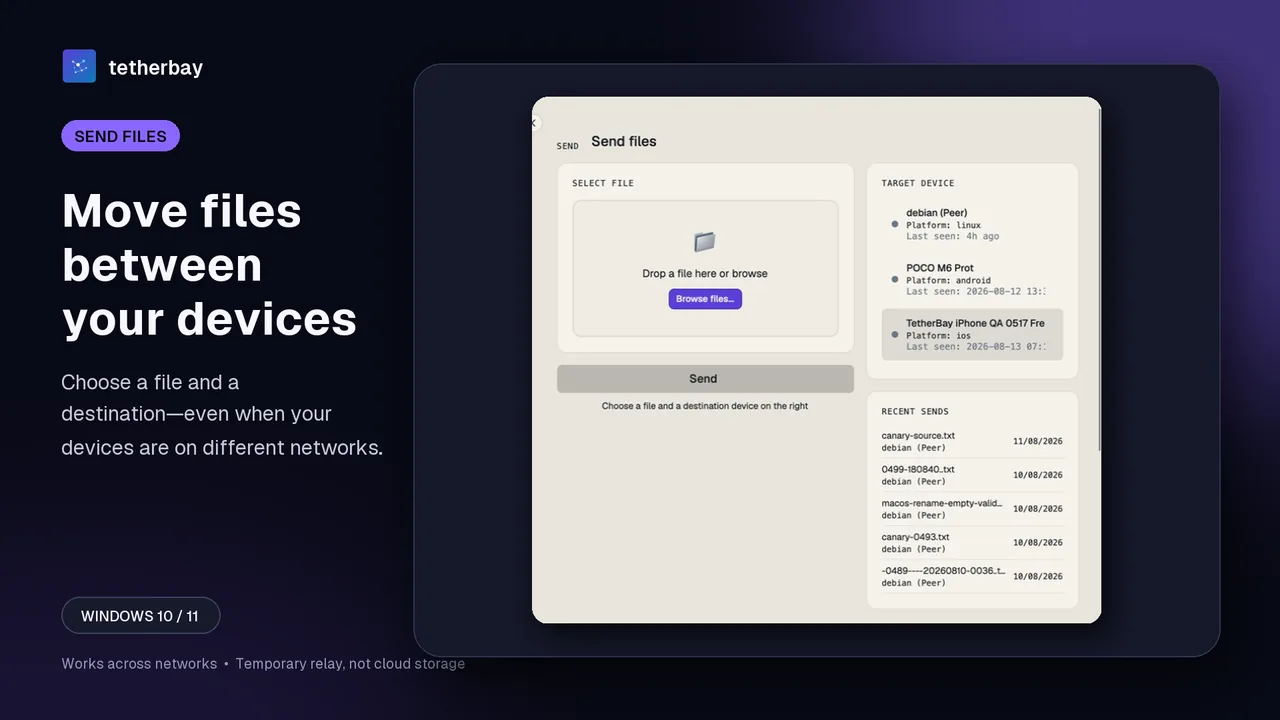
When one-off drops turn into continuous sync and shared clipboards
Most people start searching for an AirDrop alternative to move a single screenshot or PDF from a MacBook to a Windows desktop, then realize they repeat that transfer twenty times a week. Sending individual files works fine once or twice, yet it quickly produces duplicate versions like report-final-2.pdf across two Downloads folders.
Two desktop capabilities remove that friction in mixed Windows, macOS, and Linux workflows. First, selected-folder synchronization keeps a chosen directory identical across your participating computers, uploading only a FastRsync binary delta when an earlier version of a modified large file is known. Second, clipboard sync copies text and images between your own devices on every plan, with an independent toggle per device so a shared folder member never receives your clipboard.
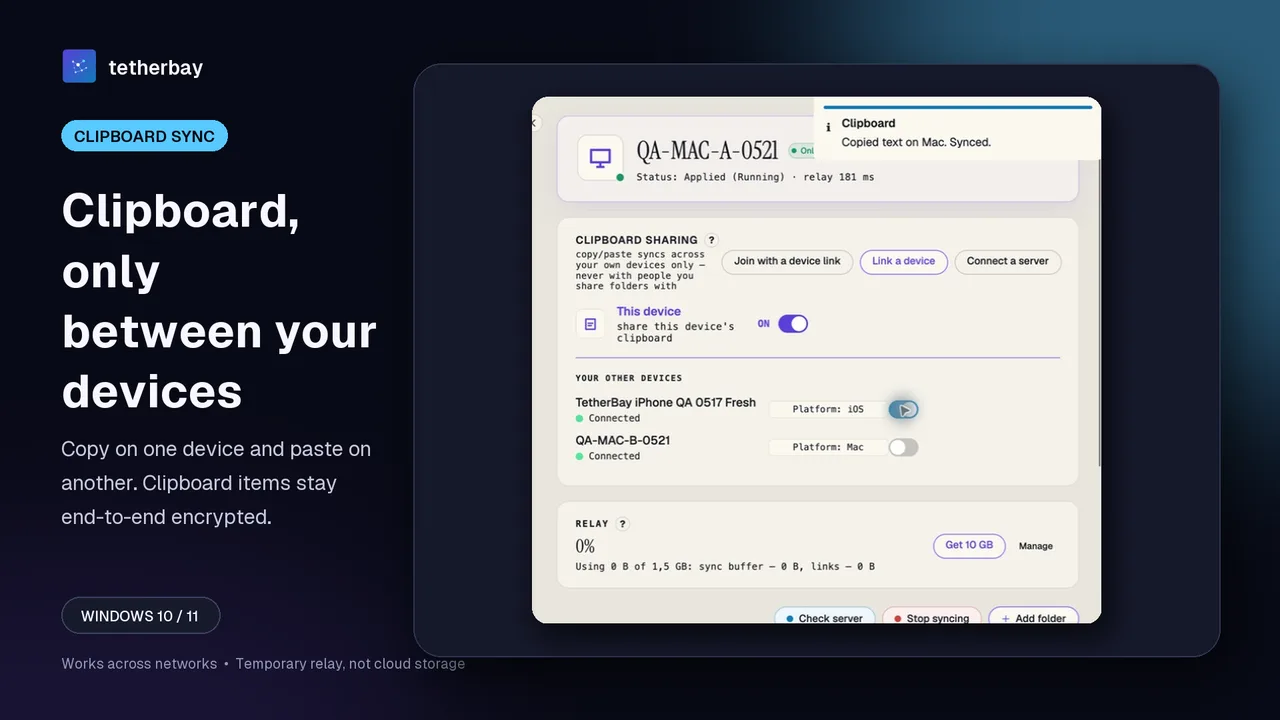
Be clear about mobile boundaries before committing. Foldpair's Android app handles one-off inbox and outbox file transfers rather than continuous mobile folder sync, and there is no publicly installable iOS release yet. If iPhone-to-Windows transfers are your primary daily requirement, LocalSend or Taildrop fills that iOS gap right now, while our Windows and Mac file sync guide covers desktop-to-desktop workflows in full.
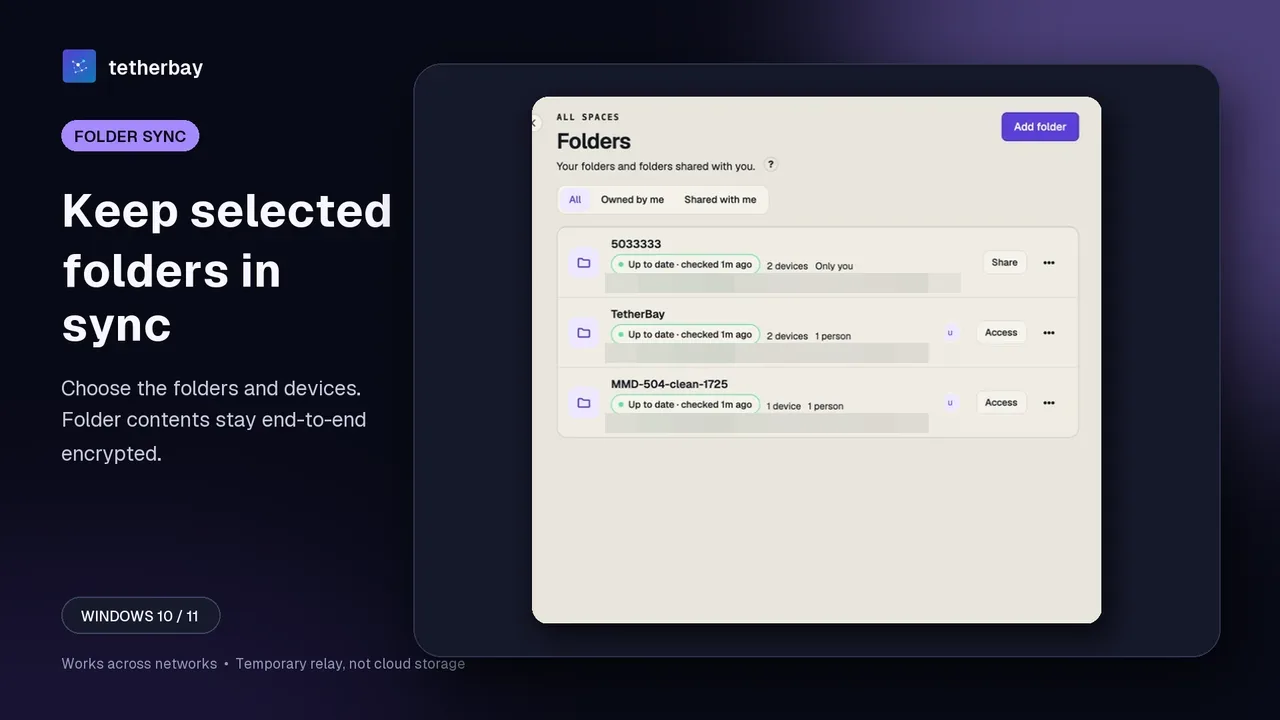
How to replace AirDrop between Windows and Mac with Foldpair
- Visit the download page and install Foldpair on your Windows PC and Mac (Apple Silicon and Intel builds are both supported; no credit card is needed for the Free plan).
- Sign in on the first computer. On a device already signed in choose Add another device, then on the second computer scan the QR code, open the link, or paste the link or code; see device pairing. Treat the link like a password.
- For recurring files, add a folder on one machine, then switch it on for the second computer in the folder's device list (the Access dialog on the Folders screen).
- Verify your first setup with a small harmless test file before moving critical work, and keep a separate backup of anything irreplaceable.
- Turn on "share this device's clipboard" on each device that should take part; the switch is per device and off devices neither send nor receive.
When AirDrop, LocalSend, or Taildrop is the better choice
- Stay with Apple AirDrop when every device involved is a Mac, iPhone, or iPad sitting in the same room and you only need occasional ad-hoc sends.
- Choose LocalSend when you want an open-source, zero-account app for fast local Wi-Fi transfers across Windows, Mac, Linux, Android, and iOS and both devices are online together.
- Choose Tailscale Taildrop if your devices already run Tailscale and you want peer-to-peer cross-network file drops to your own hardware, including iOS, without syncing folders.
- Choose Foldpair when Windows, macOS, and Linux computers work across different networks or behind VPNs, when a computer may be offline while you change a synced folder, or when you want encrypted folder sync, Owner/Editor/Reader sharing roles, and cross-platform clipboard sync in one client.
To check how Foldpair handles mixed networks alongside corporate or personal VPN tunnels, read does file sync work with a VPN or compare Foldpair vs LocalSend.
Frequently asked questions
Can Windows use Apple AirDrop directly?
Not according to Apple's guide, which describes AirDrop only for iPhone, iPad, and Mac and does not mention Windows. For Windows and Mac you need a different tool, such as LocalSend, Taildrop, or Foldpair.
Does Foldpair work when my Mac and Windows PC are on different Wi-Fi networks?
Foldpair is designed to work across different networks and alongside an existing VPN, so the devices do not need to share a local network. Synced folder and clipboard contents are encrypted on your device with AES-256-GCM and travel through an authenticated temporary relay, with TLS as well.
What happens if I change a synced file while my other computer is asleep?
With Foldpair, changes made while another device is offline wait on the relay in encrypted form and are delivered when it comes back, within the relay retention period. The relay holds up to 1.5 GB in flight on Free and 10 GB on Pro. This page does not cover offline delivery for anything other than synced-folder changes.
Can I use Foldpair to transfer files from an iPhone to Windows?
Not yet. There is no publicly installable iOS release at this time, though iOS is planned. Android is supported today for one-off inbox and outbox transfers, while the Windows, macOS, and Linux desktop apps cover folder and clipboard sync.
Can the Foldpair relay read the files I send?
No. Synced folder contents and clipboard payloads are encrypted on your device with AES-256-GCM before reaching the relay, and keys stay on your devices. The relay can see metadata such as file names, sizes, and clipboard item type and timing; see the encryption overview.
Related guides and comparisons
Sources and related reading
- Apple Support — Use AirDrop to send items to nearby Apple devices — official AirDrop requirements: iPhone, iPad, or Mac only, Wi-Fi and Bluetooth within 30 feet (10 meters), encrypted transfers, Apple Account auto-accept, and internet continuation after initiation; checked November 16, 2026.
- Microsoft Support — Share things with nearby devices in Windows — official Windows 10/11 Nearby Sharing documentation covering Bluetooth and same private Wi-Fi transfers between Windows PCs; checked November 16, 2026.
- LocalSend official site — open-source local-network transfer across Windows, macOS, Linux, Android, and iOS using HTTPS with no account or internet required; checked November 16, 2026.
- Tailscale Docs — Taildrop — peer-to-peer encrypted file transfers between personal devices on a tailnet; documented as public alpha, personal devices only, with 1-hour resume on supported platforms; checked November 16, 2026.
- How Foldpair works — first-party architecture of AES-256-GCM device encryption and authenticated temporary relay; checked November 16, 2026.
- Foldpair relay buffer help — first-party documentation of Free 1.5 GB and Pro 10 GB in-flight buffers, retention, and metadata visibility; checked November 16, 2026.