Architectural comparison matrix
The matrix below compares six tools that move or synchronize data between your devices without storing your working files on a permanent cloud-storage drive. Competitor cells reflect the first-party pages cited at the end, fetched on November 16, 2026; where those pages are silent, the cell says "Not covered by the docs we cite".
| Criterion | Foldpair | Syncthing | Resilio Sync | Tailscale Taildrop | LocalSend | rsync over SSH |
|---|---|---|---|---|---|---|
| Primary job | Continuous selected-folder sync and clipboard sync; Android one-off file transfer | Continuous folder sync between your own devices (source code on GitHub) | Continuous peer-to-peer folder sync | Sending files between your own devices over encrypted peer-to-peer connections (alpha) | One-off local-network file and text sharing | Fast incremental file transfer; the release notes name ssh as the default remote shell |
| Cloud storage required? | No; the relay is not cloud storage and carries encrypted sync data between devices | No; syncthing.net says data is stored only on your own computers with no central server | Not covered by the docs we cite; the brief describes direct peer-to-peer sync | No; the page says files go without third-party servers in the middle | No; the site says your data never leaves your local network | Not covered by the docs we cite |
| Encryption model | AES-256-GCM on-device before relay transport plus TLS; keys stay on devices | TLS device-to-device verified by SHA-256 Device ID; optional untrusted-device encryption is documented as beta/testing only | SSL between peers and AES-128 before leaving device per 2016 security brief | Encrypted peer-to-peer connections | HTTPS over the local network with optional PIN verification | Not covered by the docs we cite |
| Works across different networks | Designed to work across different networks and alongside an existing VPN | Relaying is enabled by default but used only when two devices cannot communicate directly; the page says relayed transfer rates are much lower | The brief says a Relay Server is used when devices are behind a symmetric NAT | The page says files move over encrypted peer-to-peer connections "no matter where your devices are" | Not covered beyond the site's statement that data stays on your local network | Not covered by the docs we cite |
| Offline recipient delivery | Folder changes made while a device is offline wait on the relay in encrypted form (1.5 GB Free / 10 GB Pro in flight) and are delivered when it returns, within the retention period | Not covered by the docs we cite; the relaying page says relays only retransmit encrypted data | The brief says relay pieces are never stored at rest; in our reading an online peer must serve changes | Both devices run Tailscale; the page does not say whether the recipient must be online at send time. Interrupted transfers can usually resume for up to an hour, but the page says resume does not work when a macOS or iOS device is receiving | Not covered by the docs we cite; the site says data stays on your local network | Not covered by the docs we cite |
| Delta transfer for large files | FastRsync binary delta when an earlier file version is known | The Block Exchange Protocol spec describes files as hashed blocks, with devices requesting missing or outdated blocks | Not covered by the docs we cite | Not covered by the docs we cite | Not covered by the docs we cite | The home page describes fast incremental file transfer |
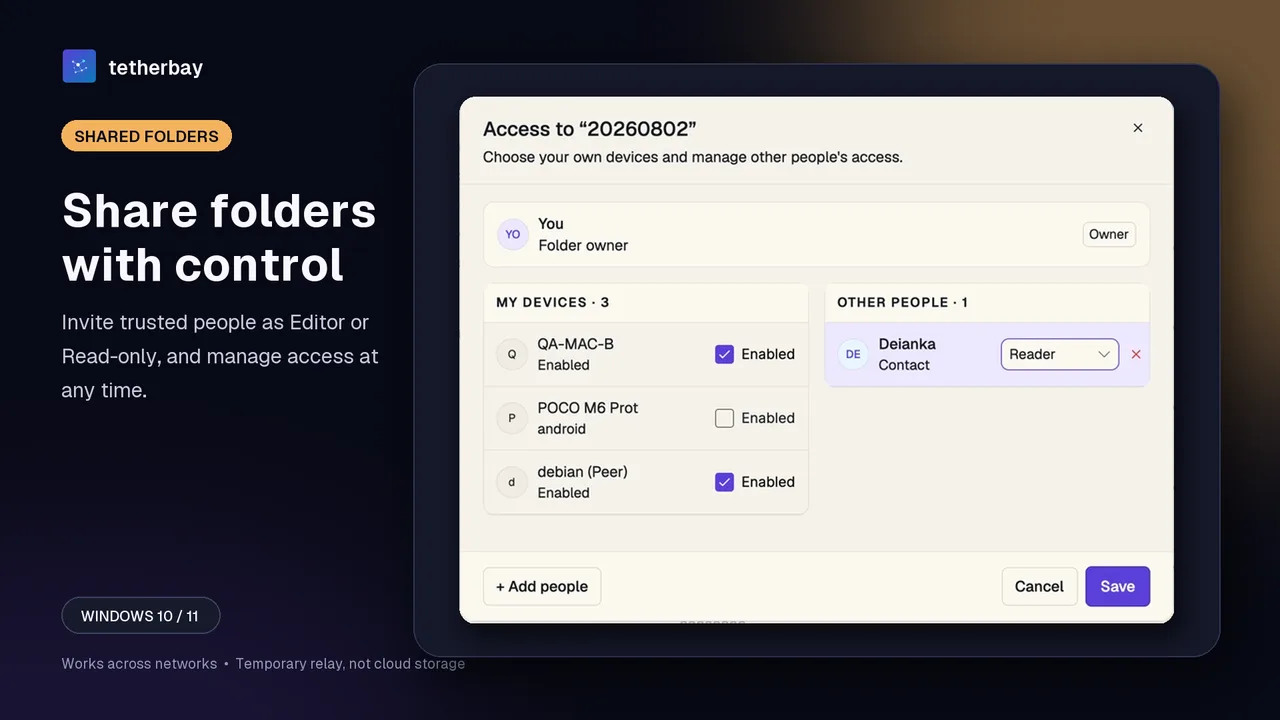
| Sharing roles with other people | Owner, Editor, and Reader roles; server rejects Reader uploads/edits | Devices are authenticated by Device ID; sharing roles are not covered by the docs we cite | Read/write and read-only keys per folder (2016 brief) | Not supported; the page says you cannot send files to devices owned by other users | Not covered by the docs we cite | Not covered by the docs we cite |
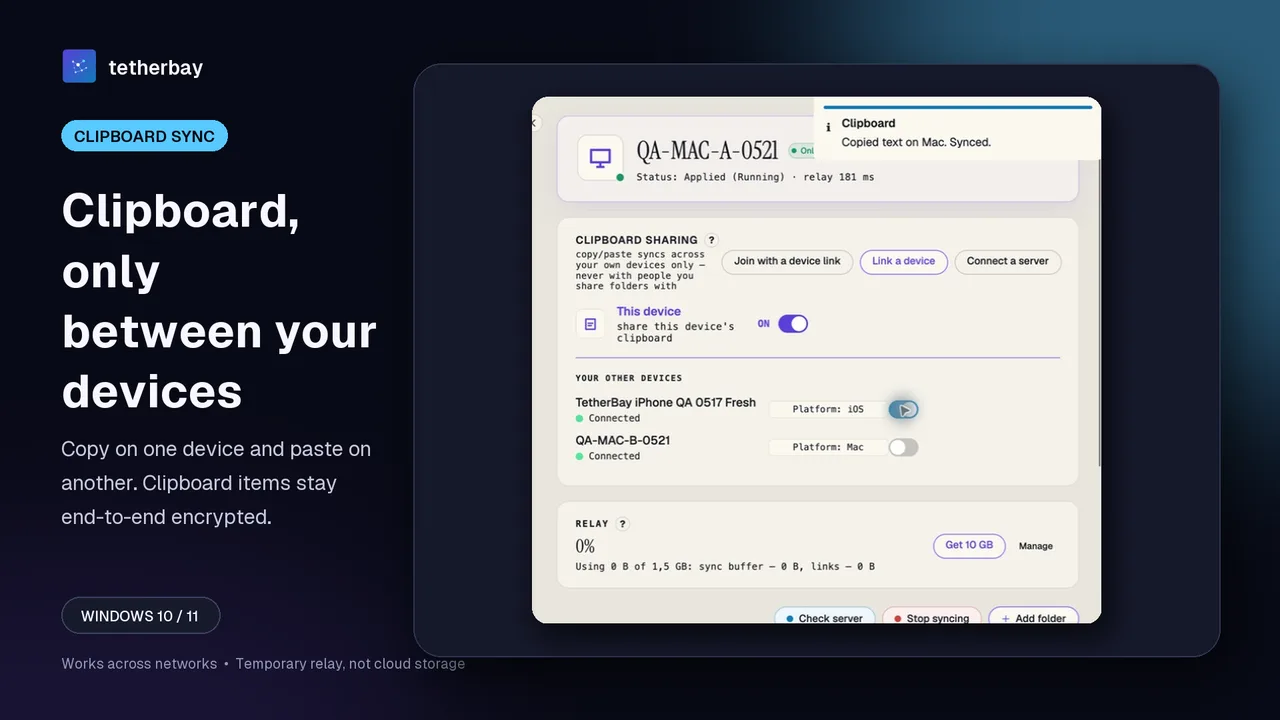
| Clipboard sync | Text and images across your own devices on every plan, toggled per device | Not covered by the docs we cite | Not covered by the docs we cite | Not covered by the Taildrop page | Text can be shared; automatic clipboard sync is not covered | Not covered by the docs we cite |
| Platforms | Windows, macOS (Apple Silicon and Intel), Linux (x64 and arm64), Android one-off file transfer; iOS planned | macOS, Windows, Linux, FreeBSD, Solaris, OpenBSD and others per syncthing.net; mobile platforms are not listed there | Windows, macOS, Linux, iOS, Android, and NAS packages | Windows, macOS, Linux, Android, and iOS (via Tailscale) | Windows, macOS, Linux, Android, and iOS (standalone app) | Not covered by the docs we cite |
| Cost & licence | Free plan ($0) plus Pro and Team plans; no credit card to download | Source code available on GitHub; pricing is not covered by the docs we cite | Free download for personal, non-commercial use; business pricing through a Request Pricing link | Alpha; the page says it must be enabled per network in the admin console | Free and open source; the FAQ says 100% free | Freely available under the GNU General Public License |
Continuous folder sync tools compared in practice
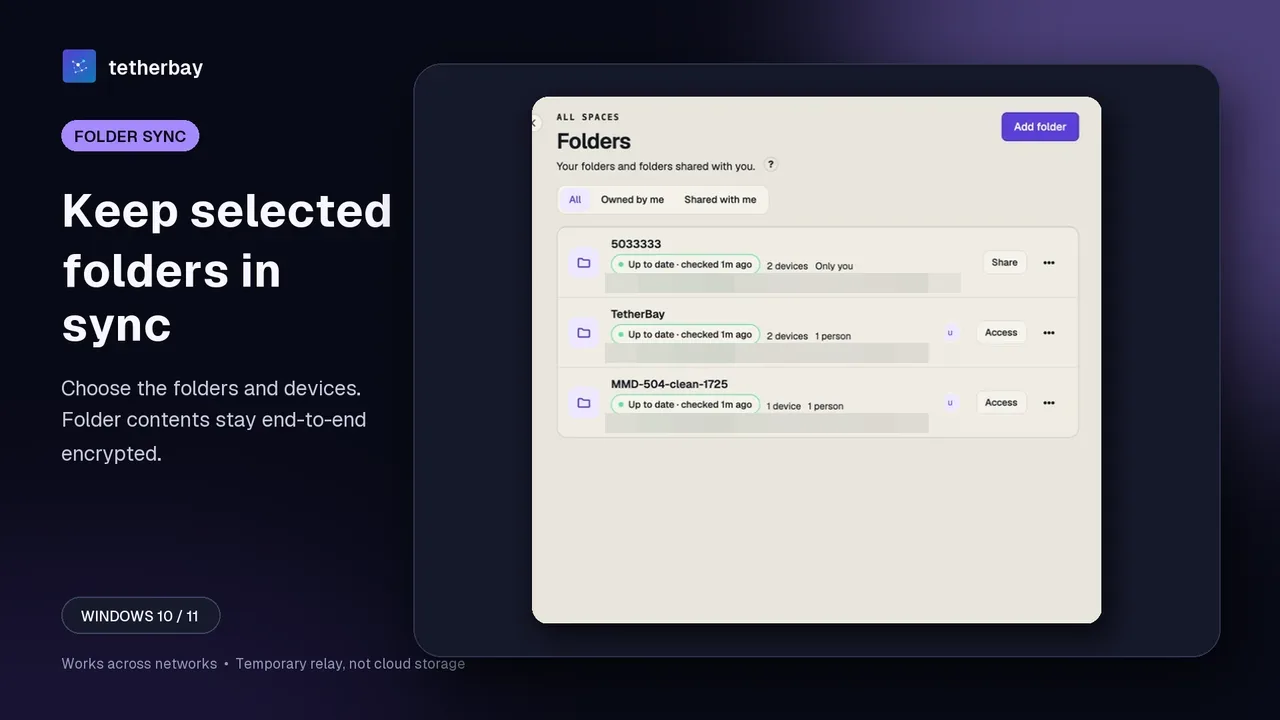
If your goal is keeping project directories identical across multiple computers, only three tools in the matrix—Foldpair, Syncthing, and Resilio Sync—provide continuous multi-device folder synchronization without storing files permanently on a cloud drive.
Syncthing is the reference open-source design for direct peer-to-peer sync. Devices authenticate using certificate fingerprints called Device IDs and transfer over TLS. The relaying page says relaying is enabled by default but used only when two devices cannot communicate directly, and that relayed transfer rates are much lower than a direct connection would allow. Its optional untrusted-device encryption feature is documented as beta or testing only. For a one-on-one breakdown, read Foldpair vs Syncthing.
Resilio Sync uses a peer-to-peer model with broad platform support, including iOS, Android, and dedicated NAS packages for QNAP, Western Digital, Netgear, Seagate, ASUSTOR, and Drobo. Its 2016 security brief documents AES-128 encryption before data leaves a peer and explicitly states that relay pieces are never stored at rest. One constraint for teams is licensing: Resilio's download page restricts the free Sync download to personal, non-commercial use and routes companies to a Request Pricing flow. Our Foldpair vs Resilio Sync page covers those differences in detail.
Foldpair reverses the network assumption by making an authenticated temporary relay the primary path rather than a degraded fallback. Folder contents and clipboard payloads are encrypted on the device with AES-256-GCM before transport, with TLS protecting the network session. Foldpair is designed to work across different networks and alongside an existing VPN, and folder changes made while one computer is asleep wait on the relay in encrypted form (1.5 GB in flight on Free, 10 GB on Pro) until it returns, within the retention period. The trade-off is service dependency and visible relay metadata: the relay cannot read encrypted file contents, yet it observes file names and sizes.
Where Taildrop, LocalSend, and rsync over SSH fit
Three other no-cloud-storage tools frequently appear in privacy discussions even though they do not offer continuous GUI two-way folder sync. Including them prevents picking the wrong tool category.
Tailscale Taildrop sends files over encrypted peer-to-peer connections with no third-party servers in the middle, and its page covers macOS, iOS, Windows, Android, and Linux. However, Tailscale describes it as alpha and limited to your own personal devices: you cannot send files to devices owned by other users, and the page describes sending files, not folder sync.
LocalSend needs no account and, per its site, keeps your data on your local network with HTTPS encryption. Transfers between different networks and background folder sync are not covered by the docs we cite.
rsync over SSH (version 3.5.2 was released on 4 November 2026) is a long-standing tool; its home page describes fast incremental file transfer and names ssh as the default remote shell. How you would automate or secure it (keys, firewall reachability, timers), and whether it offers conflict handling or clipboard sync, is not covered by the docs we cite.
Getting started with encrypted folder sync in Foldpair
- Install Foldpair on your Windows, macOS, or Linux machines from the download page; downloading requires no credit card.
- Sign in on the first computer. On a device already signed in choose Add another device, then on each other computer scan the QR code, open the link, or paste the link or code; see device pairing. Treat the link like a password.
- Choose Add folder on the first computer, then switch the folder on for your other devices in its device list (the Access dialog on the Folders screen), or invite someone else as a Reader or Editor.
- Confirm the setup with a small test file before moving live project directories, and keep a separate backup of irreplaceable data.
Choosing honestly: when another tool wins
No first-party speed benchmark was run between these products for this comparison; every architectural trade-off above reflects documented product behavior rather than measured throughput.
Frequently asked questions
How is Foldpair's temporary relay different from cloud storage?
Foldpair's relay is not a cloud-storage product with its own file browser or storage plans. The authenticated temporary relay carries encrypted sync data between your devices and buffers undelivered data (up to 1.5 GB on Free and 10 GB on Pro), within the retention period.
Which tool is best if I want 100% open-source sync with no vendor servers?
Syncthing publishes its source code on GitHub and says no central server holds your data. Devices authenticate by SHA-256 certificate Device ID; relays are used only when two devices cannot communicate directly, and its relaying page describes setting a custom relay. Its licence and any vendor-service dependency are not covered by the docs we cite.
Does Foldpair hide file names from the relay?
No. While synced folder contents and clipboard payloads are encrypted on your device with AES-256-GCM so the relay cannot open them, file names and sizes remain visible to the relay, along with clipboard item type, source device, and time.
Can I use Resilio Sync or Foldpair for commercial team work?
Resilio's download page restricts the free Sync download to personal, non-commercial use and links a Request Pricing flow. Foldpair offers a Free plan alongside paid Pro and Team plans with Owner, Editor, and Reader folder roles.
Do any of these tools replace a backup?
No. Sync is not a backup. Start with a small test file and keep a separate backup of irreplaceable data.
Related guides and comparisons
Sources and related reading
- Syncthing — Security Principles — TLS device-to-device traffic, SHA-256 certificate Device IDs, and global/local discovery behavior; checked November 16, 2026.
- Syncthing — Relaying — public relay fallback when direct connections fail and its stated lower transfer rate; checked November 16, 2026.
- Syncthing — Untrusted (Encrypted) Devices — beta/testing status of encrypted untrusted peers and metadata exposure boundaries; checked November 16, 2026.
- Syncthing — home page — source code on GitHub, TLS, no central server holding data, supported desktop and server platforms; checked November 16, 2026.
- Syncthing — Block Exchange Protocol v1 — files described as hashed blocks; devices request missing or outdated blocks; checked November 16, 2026.
- Resilio Sync — Download — personal non-commercial licence restriction, supported OSes and NAS packages, and Request Pricing for business; checked November 16, 2026.
- Resilio Sync — Security & Privacy Brief — direct peer model, AES-128 device encryption, and relay pieces never stored at rest (2016 brief); checked November 16, 2026.
- Tailscale Docs — Taildrop — encrypted peer-to-peer personal-device file transfers with no third-party servers in the middle; documented as alpha with no cross-user sends; checked November 16, 2026.
- LocalSend official site — open-source local Wi-Fi transfer using HTTPS with no account, server, or internet required; checked November 16, 2026.
- rsync project home — open-source incremental file transfer utility (v3.5.2 released November 4, 2026); checked November 16, 2026.
- How Foldpair works — first-party explanation of Foldpair encryption and temporary relay design; checked November 16, 2026.
- Foldpair relay buffer help — first-party buffer limits (1.5 GB Free / 10 GB Pro) and metadata visibility; checked November 16, 2026.