At a glance
Syncthing and Foldpair solve the same everyday problem: keep a chosen folder identical on several of your own devices without handing it to a consumer cloud drive. The table lists criteria you can check against each product's own documentation. Where the Syncthing documentation we cite says nothing, the cell says so rather than guessing.
| Question | Foldpair | Syncthing |
|---|---|---|
| Identity and accounts | Account-based: devices belong to your account, and other people are added to a folder from the app. | No accounts. Devices are identified by a Device ID, a SHA-256 hash of the device certificate, and you add each device by ID. |
| Same network (LAN) | Works between devices on one network and across networks; the relay is the designed path, so the workflow does not change. | Devices that can reach each other connect directly. |
| Different networks, NAT, CGNAT, VPN | Designed to work across different networks and compatible with an existing VPN; no router configuration step in the workflow. | Documentation recommends UPnP or a manual forward of 22000/TCP and 22000/UDP; without a direct connection it falls back to public relays. |
| When no direct connection is possible | The authenticated temporary relay is the normal path, not a fallback. | Relaying is on by default, used only when devices cannot connect directly, and the docs say its transfer rate is much lower than a direct connection. |
| Other device is offline | Changes wait on the relay in encrypted form and are delivered when the device returns, within the relay retention period. | Not covered by the documentation cited here. See the note on untrusted devices below. |
| Encryption | Folder and clipboard contents are encrypted on the device with AES-256-GCM before relay transport; TLS also protects transport. The relay cannot open contents but does see file names and sizes. | All device-to-device traffic is protected by TLS and devices are admitted by certificate fingerprint. An optional untrusted-device mode is marked beta in the docs. |
| Large changed files | When an earlier version is known, the desktop app can upload a FastRsync binary delta instead of the whole file. | Not compared here: no source cited for it. |
| Clipboard | Text and images sync between your own devices; each device has its own clipboard switch. | Clipboard sync is not part of the folder-sync documentation cited here. |
| Sharing with other people | Each member of a shared folder is an Owner, Editor or Reader; the server rejects a Reader's uploads and edits. | You share by exchanging Device IDs with the other person's device. Per-person roles are not covered by the cited docs. |
| Platforms | Desktop clients for Windows, macOS (Apple Silicon and Intel) and Linux (x64 and arm64); Android handles one-off file transfers, not folder sync. No public iOS release yet. | Not compared here: check the official downloads page. |
| Cost and openness | Free plan ($0) plus paid Pro and Team plans; no credit card to download. Depends on the Foldpair service. | Free and open source; current release at our last check was v2.1.2 (July 8, 2026). |
How each one connects your devices
Syncthing's design starts from the direct connection. Each device has an ID, devices discover each other on the local network or through global discovery servers, and if a path exists the data goes straight from one device to the other. When the path does not exist, typically because both sides sit behind NAT without a port forward, traffic goes through a public relay. The official relaying page is explicit that this is a fallback, that it is on by default, and that it is much slower than a direct link.
Foldpair starts from the opposite assumption. Every device signs in to the same account and synchronizes selected folders through an authenticated temporary relay, so the common case, two devices on different home or office networks, needs no router work. The relay carries encrypted data between participating devices; it is not a cloud-storage product with its own file browser. How that works in detail is in how Foldpair works, and the pairing steps are in the device pairing help page.
The trade-off is the mirror image of Syncthing's. A direct link has no middleman and, when it works, can use the full speed of the path between two devices. A relay adds a hop and a dependency on a service, but it is predictable on networks where direct connections are difficult. We have not run a head-to-head speed test, so this page does not claim either is faster.
Encryption, discovery and what each side can see
Syncthing protects device-to-device traffic with TLS and admits a device only when its certificate fingerprint matches the Device ID you approved. Because there are no accounts, the Device ID is the whole trust model, which is simple and auditable. Global discovery, if left on, publishes the ID and listening ports to discovery servers every 30 minutes; you can turn it off.
Syncthing also documents untrusted (encrypted) devices: a peer such as a server can store and relay a folder without being able to read it. The docs say this hides file contents, names, times, hashes and directory structure while folder ID, labels and approximate sizes remain visible, and they still describe the feature as beta or testing only. It is a real answer to the question of keeping an always-on copy somewhere you do not fully trust.
Foldpair encrypts synced folder contents and clipboard payloads on the device with AES-256-GCM before they reach the relay, and transport is additionally protected with TLS. The relay handles ciphertext and keys stay on your devices. It is not blind, though: the relay does see file names and sizes, and for clipboard items the type, source device and time. Read the encryption page and the security overview for the full model before you decide whether that metadata is acceptable.
Clipboard, sharing roles and mobile
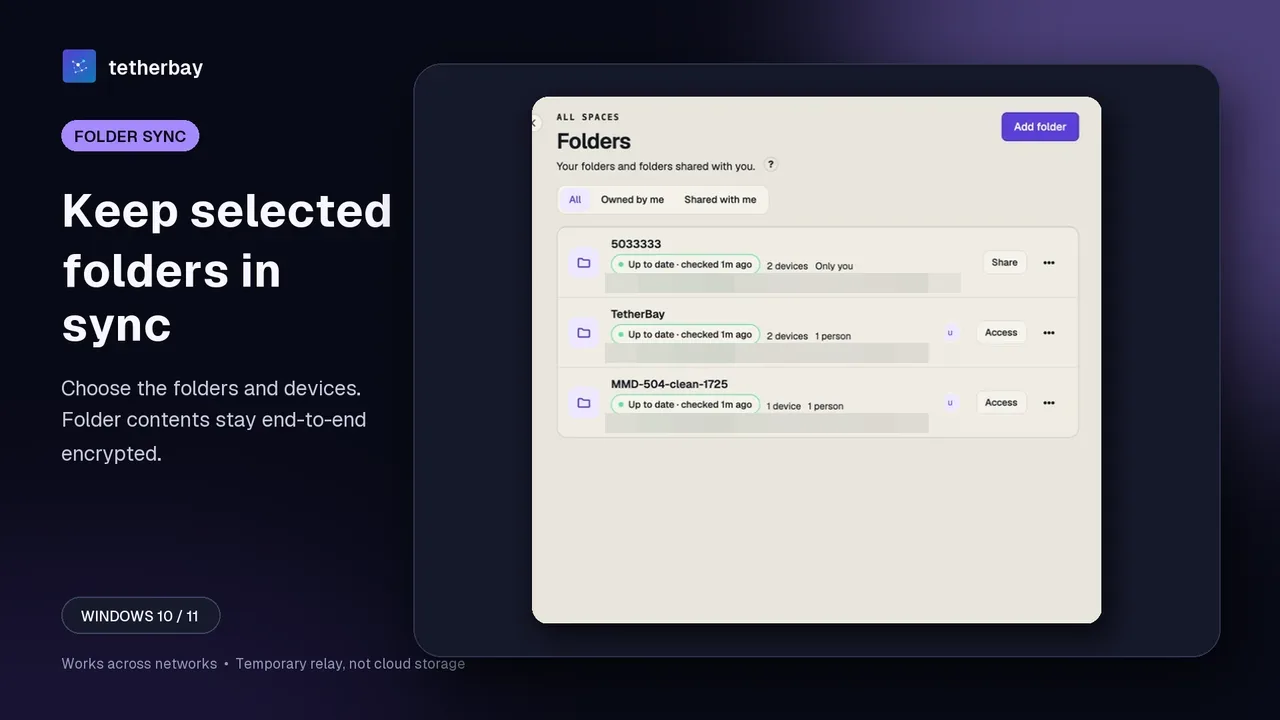
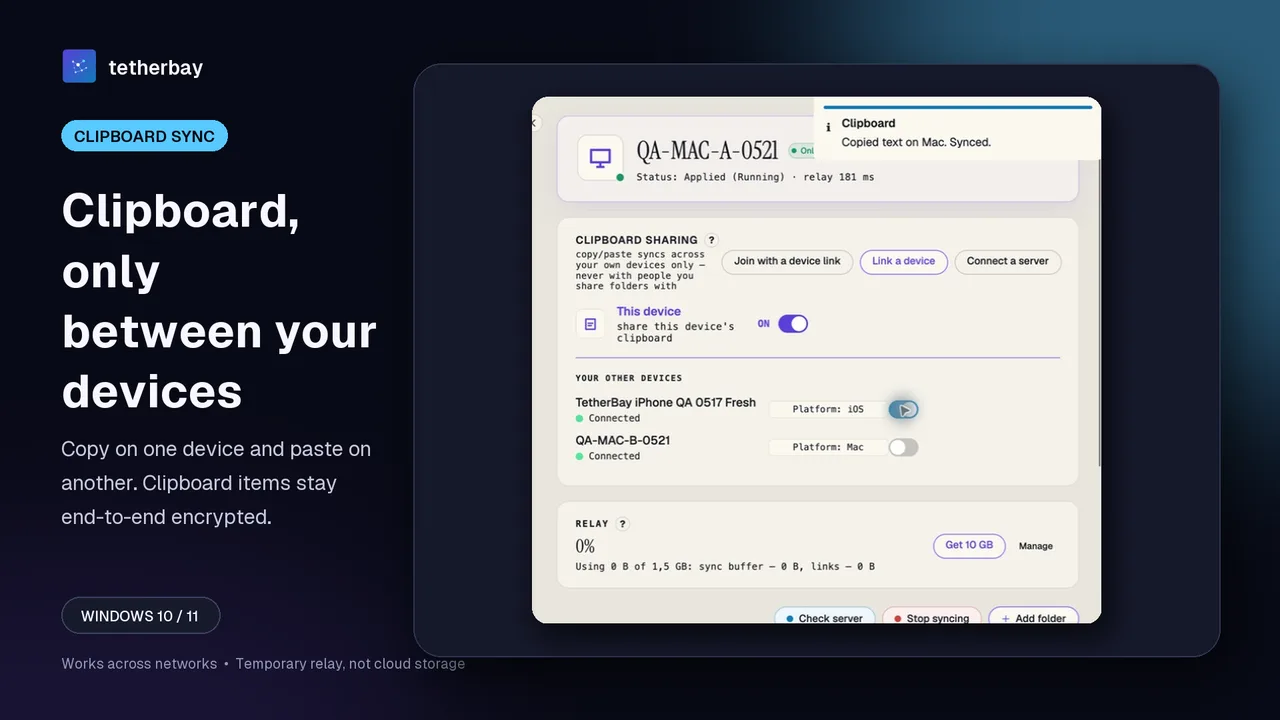
Three Foldpair features go beyond folder sync. Clipboard sync carries text and images between your own devices on every plan, with a separate switch on each device; folder members never receive your clipboard. See the clipboard sharing help for the details.
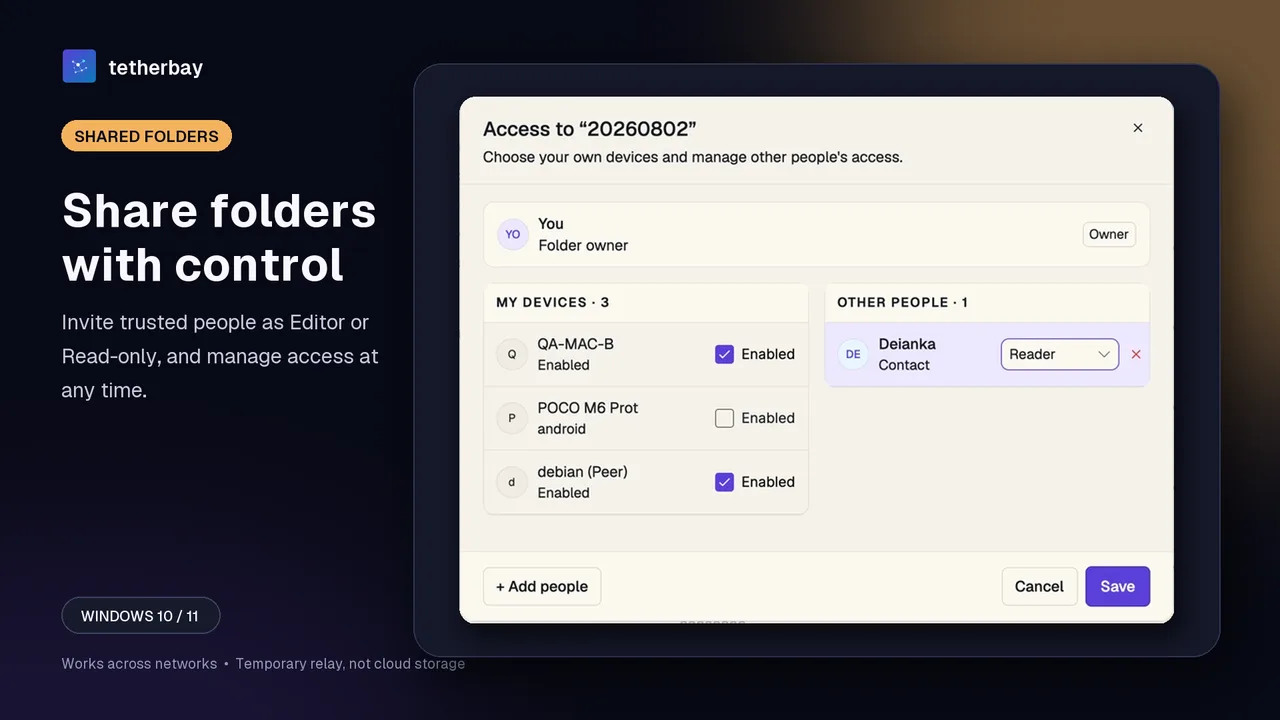
Sharing with other people uses roles. Each member of a shared folder is an Owner, Editor or Reader, and a Reader can read and download but the server rejects uploads and edits. That matters when the other side is a client, a teammate or a family member rather than another one of your machines. The member roles help page lists what each role can do.
On phones, Foldpair's Android app handles one-off file transfers, an inbox and an outbox, rather than folder sync, and there is no public iOS release yet. If continuous folder sync on a phone is the requirement, check Syncthing's own platform list before choosing; we do not compare it here.
Set it up with Foldpair in a few steps
- Download Foldpair and install it on the first computer, then sign in.
- Install it on the second device and sign in to the same account; no router or port settings are involved.
- On the first device choose Add folder and pick the folder you want to keep in sync.
- Enable that folder on the second device from the folder's Access dialog.
- Start with a small test file and confirm it appears on the other device, and keep a separate backup of anything irreplaceable.
- Turn on clipboard sharing per device only if you want it.
A Syncthing setup takes a similar number of steps but a different shape: install on both machines, exchange Device IDs, accept the pairing on each side and choose the folders to share. If both machines are on networks that allow direct connections, that is quick. If they are not, the extra work is on the network side.
When Syncthing is the better choice
Syncthing is mature, free, open source and widely deployed. When two devices can reach each other, the data goes directly between them at the speed of the link, with no vendor service in the path. If you are comfortable with UPnP or a port forward, or your devices usually sit on friendly networks, that is a genuine advantage.
It is also the better fit if you want to audit the source, run your own infrastructure, avoid an account, or keep working independently of any one company's service. Foldpair's convenience on different networks does not outweigh those points by default, and its design does depend on the Foldpair service.
When Foldpair is the better choice
Foldpair is built for the case Syncthing's documentation describes as the degraded one: devices that cannot open a direct connection. Because the authenticated relay is the designed path, there is no network preparation, and a device that is offline still receives its changes later. It is also the more natural fit when you share with other people under Owner, Editor and Reader roles, or when you want clipboard text and images to follow you between your own devices.
Other comparisons that may help: Foldpair vs LocalSend covers one-off transfers on a local network.
Method and dates
Syncthing statements come from its official documentation, last checked on 5 October 2026 for the security, relaying and firewall pages, and on 15 November 2026 for the untrusted devices page. The v2.1.2 release reference (dated July 8, 2026) comes from the original October 5, 2026 check. Foldpair statements come from first-party product sources.
No first-party head-to-head benchmark has been run, so this page compares documented architecture and stated behavior, not measured throughput, and it does not name an overall winner. Capabilities change; check the linked sources before you decide.
Is Foldpair a Syncthing alternative?
For syncing selected folders between your own devices, yes. The main difference is the connection model: Syncthing connects devices directly by ID and falls back to public relays, while Foldpair uses an authenticated temporary relay as its normal path and needs an account.
Do I need to forward ports with Foldpair?
No router configuration step is part of the workflow. Foldpair is designed to work across different networks and is compatible with an existing VPN. Syncthing recommends UPnP or forwarding 22000/TCP and 22000/UDP for direct connections.
Can Foldpair see my files?
Folder contents are encrypted on your device with AES-256-GCM before they reach the relay, and the relay cannot open them. It does see file names and sizes, and for clipboard items the type, source device and time. See the encryption page.
What happens if the other computer is switched off?
Changes wait on the relay in encrypted form and are delivered when the device comes back online, within the relay retention period. Free allows 1.5 GB in flight and Pro 10 GB.
Can I use both on the same machine?
Nothing in either product's documentation prevents it, but do not point both at the same folder. Test with a small file in a separate folder first, and keep a separate backup of irreplaceable data.
Is Foldpair free?
There is a free plan that stays free, plus paid Pro and Team plans, and downloading needs no credit card. Syncthing is free and open source.
Related guides and comparisons
Sources and related reading
- Syncthing — Security Principles — official statement that device-to-device traffic is protected by TLS, that devices are admitted by certificate fingerprint (Device ID), and that global discovery announces the device ID every 30 minutes; checked October 5, 2026.
- Syncthing — Relaying — official statement that relaying is enabled by default, used only when a direct connection is impossible, and much slower than a direct connection; checked October 5, 2026.
- Syncthing — Firewall Setup — official port-forwarding guidance for ports 22000/TCP and 22000/UDP and the stated performance cost of relaying without one; checked October 5, 2026.
- Syncthing — Untrusted (Encrypted) Devices — official description of encrypted peers, their stated beta status and which metadata stays visible; checked November 15, 2026.
- Syncthing v2.1.2 official release — the release the documentation claims were checked against; checked October 5, 2026.
- How Foldpair works — first-party network and relay explanation; checked October 5, 2026.