Three ways to move commits without a remote
You have commits on one computer and you want them on another, but you do not want to push to GitHub, GitLab or a server you run. Perhaps the work is private or the remote is unreachable. Git itself has an answer, and a file-sync folder can carry it.
There are three approaches people try. They look similar, and they are not equally safe.
- A bundle file in a synced folder.
git bundlepacks commits and branches into one file. You sync the file, then clone or fetch from it on the other computer. This is the approach this page recommends. - A bare repository in a synced folder. A bare repo is a Git repository with no working tree, so both computers can push to and fetch from it as if it were a remote. It works only while one computer writes at a time and the sync has finished before the other one starts.
- The project folder,
.gitincluded, in a synced folder. The simplest to set up and the one most likely to corrupt your repository. See the section on live.gitdirectories below.
Side-by-side comparison
| Question | Bundle in a synced folder | Bare repo in a synced folder | Live .git in a synced folder |
|---|---|---|---|
| What moves | One .bundle file, written once | Many small files in objects/ and refs/, rewritten on every push | Many small files plus the index, lock files and your working tree |
| Safe while both computers are active | Yes, if you create it outside the synced folder and move it in when finished; git bundle verify on the receiver is the real check | No: two writers can leave refs out of step | No: the index and lock files are written constantly |
| Carries uncommitted work | No: only commits reachable from refs | No: only what was pushed | Copies files, but half-written states can be copied too |
| Can you check it before use | Yes: git bundle verify before you fetch | Only after the fact, with git fsck | Only after the fact, with git fsck |
| Where the receiver ends up | A normal clone that stays on its own disk | A remote you clone from | The same folder on both machines |
| Our recommendation | Use this | Only with one writer at a time | Avoid |
The bundle column rests on Git's documentation: bundles are for offline transfer of Git objects without a server, and git bundle verify checks that a bundle will apply cleanly. The other two columns describe how file sync behaves, not a guarantee from Git.
Why syncing a live .git directory goes wrong
Do not put a working repository in a synced folder. This holds for any sync tool, Foldpair included, and for any cloud drive.
A Git commit is not one write. Git adds objects, rewrites the index, moves a branch ref and updates the log, as separate file operations, often guarded by lock files such as index.lock. A sync tool sees those files change one at a time. If it copies the new branch ref before the new objects arrive, the other computer has a branch that points at commits it does not have. If both computers commit before they see each other's changes, the same ref file is changed twice and one version is kept, or a conflicted copy appears next to it.
The Git pages we cite do not document lock files or concurrent copying, so treat the specifics above as our reasoning about how file sync works, not as a Git guarantee. The result can be a corrupted or silently out-of-date repository that you notice weeks later.
This applies to Foldpair folders too: keep the repository in its own location and sync the bundles.
The safe workflow with git bundle and Foldpair
Computer A has the repository. Computer B is where you want the commits. A folder named for example git-handoff, outside every repository, is synced between them. First make sure both computers are set up as described in the next section.
On computer A, commit what you want to send, then create the bundle in a staging folder on the same disk as the synced folder (so the final move is a rename, not a slow copy) and move it in only when Git has finished writing it. On Windows, run the same commands in Git Bash, or use Move-Item in PowerShell for the last step:
mkdir -p ~/git-handoff-staging
git bundle create ~/git-handoff-staging/project-2026-11-16.bundle --all
git bundle verify ~/git-handoff-staging/project-2026-11-16.bundle
mv ~/git-handoff-staging/project-2026-11-16.bundle ~/git-handoff/
git tag -f last-sent main
--all packs every ref. Git's documentation is explicit about the limit: a bundle includes only refs and the commits reachable from them, and not other local state such as the contents of the index, the working tree, the stash, per-repository configuration or hooks.
On computer B, wait until the file has finished arriving, then verify it and fetch from it. On a computer with no clone yet, clone from the bundle:
git bundle verify ~/git-handoff/project-2026-11-16.bundle
git clone ~/git-handoff/project-2026-11-16.bundle project

# later, in an existing clone:
git fetch ~/git-handoff/project-2026-11-17.bundle 'refs/heads/*:refs/remotes/handoff/*'
Git accepts a bundle file anywhere it accepts a repository for clone, fetch and pull, but not push. Fetching into refs/remotes/handoff/* keeps the incoming branches separate from your own, so you inspect them and then merge or fast-forward in the usual way. Nothing is overwritten.
For follow-up handoffs you can send a smaller incremental bundle, for example git bundle create next.bundle last-sent..main, where last-sent is the tag the first step set with git tag -f last-sent main (move it again after each handoff). That bundle requires the earlier commits to exist on the receiver, and git bundle verify lists the commits you must have and errors out if you do not. When in doubt, send a full bundle: it is self-contained.
Use a new file name for each bundle instead of overwriting the previous one.
Set up the synced folder in Foldpair
- Install Foldpair on both computers from the download page and sign in with the same account.
- On a device already signed in, select Add another device and use the link, QR code or 6-digit code on the second computer. The device pairing help has the details. Treat that link like a password.
- On computer A, add the handoff folder to Foldpair. Choose a folder that does not contain a repository.
- Open the folder's Devices panel and turn the second computer on. Nothing syncs to a device until you do; see choosing which devices sync a folder.
- Test with a small file first: copy a tiny
.txtinto the folder and confirm it appears on computer B before you send a real bundle. Keep a separate backup of anything irreplaceable.
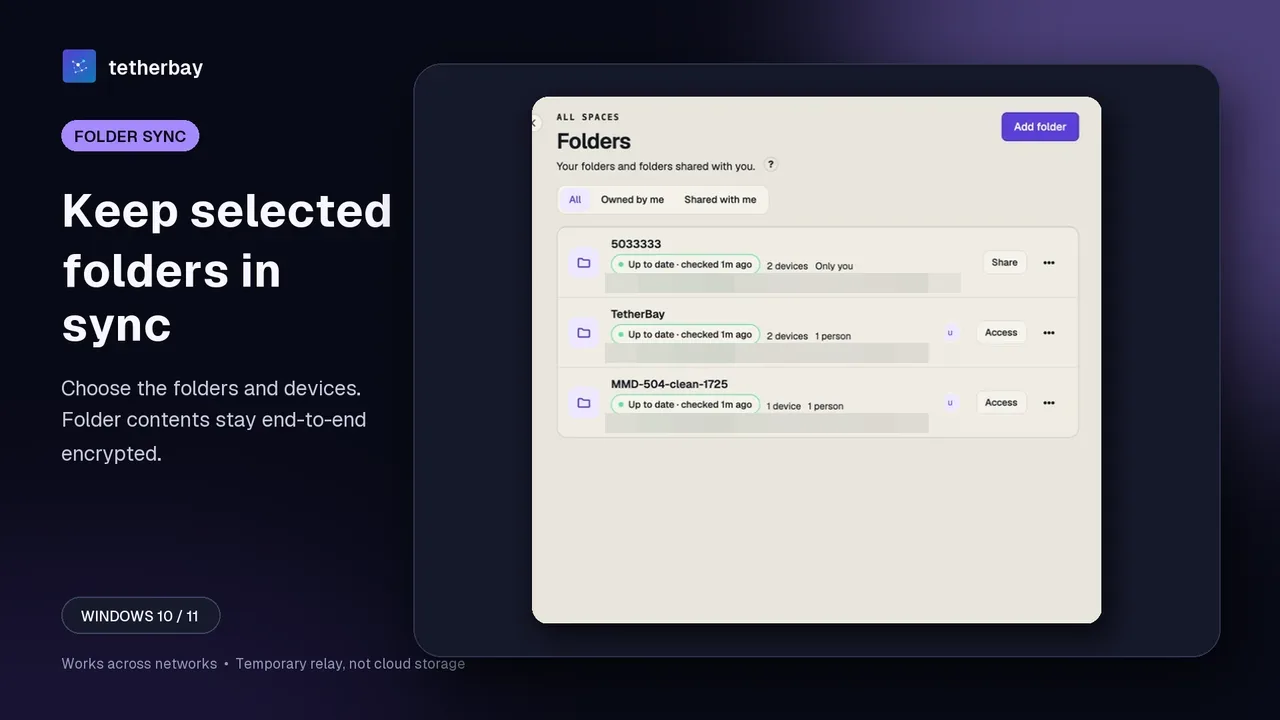
Foldpair has desktop clients for Windows, macOS and Linux, so the workflow works between any mix of them. Foldpair synchronises selected folders between your computers through an authenticated temporary relay, and is designed to work across different networks and alongside an existing VPN. Folder contents are encrypted on the device before they reach the relay, and the keys stay on your participating devices. The relay does see file names and sizes, so a bundle called secret-client-project.bundle is visible by name. Name bundles neutrally if that matters. The security page has the details.
If computer B is offline when you drop the bundle, the encrypted change waits on the relay and is delivered when that computer comes back online, within the relay retention period. Do not treat the relay as an archive.
What about uncommitted work?
A bundle carries commits, not your working tree. If you want unfinished work on the other computer, commit it first. Use a temporary branch such as wip/handoff. When you continue there, git reset --soft HEAD~1 turns that commit back into staged changes.
Untracked files are not part of a bundle, and Git's documentation lists the stash among the local state a bundle does not carry. In practice --all may still pick up the refs/stash ref, but do not rely on it: commit the changes to the temporary branch if you need them.
The same handoff for teams and agent workspaces
Nothing in the bundle workflow depends on one person. Each developer, build machine or agent workspace keeps its own clone on its own disk. What moves is a finished file, and each receiver decides which branch to inspect and when to merge. Git still shows the divergence and conflicts; the sync tool only delivers files.
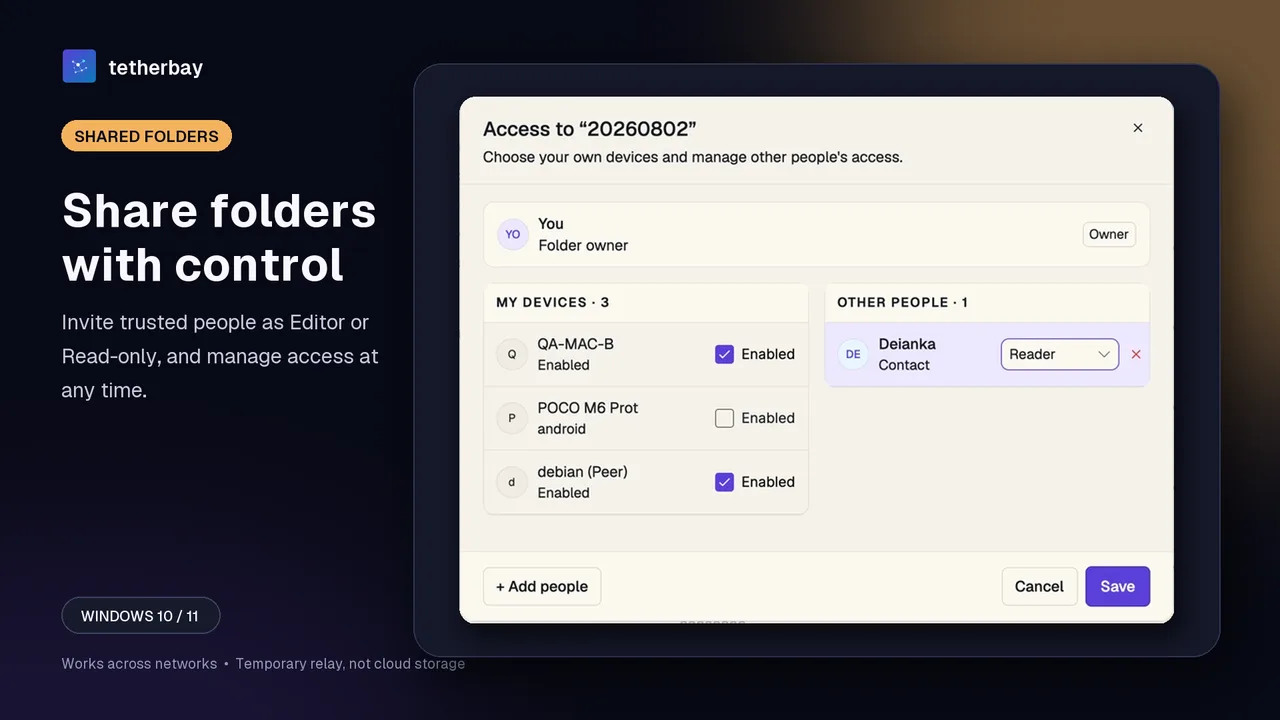
When several developers exchange bundles through one handoff folder, each person keeps their own repository and only the .bundle files move. To hand a folder to another person, share it with them rather than adding their computer to your account. Foldpair folders have three roles: Owner, Editor and Reader. An Editor can upload, so a teammate who sends you bundles needs Editor access. A Reader can read and download but the server rejects their uploads, which suits a build machine or an agent workspace that only needs to fetch. The member roles help lists who can do what; the owner chooses the role when sharing.
Give each sender their own file-name prefix, such as alice- or ci-, so two people never write the same name. Use a device link only for computers you own; to bring in another person, use a folder invitation.
This workflow has no pull requests, issues, review rules or automatic merge, and Foldpair does not decide who owns main. A team that needs those features should use a hosted remote; bundles cover the gaps. Extra clones and retained bundles give you more places to recover from only after you have tested a restore; participant count is not a backup policy.
When a remote or another method is the better choice
- Use a hosted or self-hosted remote when more than a couple of people push regularly, when you need pull requests and review, or when the computers are online together and you can reach the same server.
- Use
git pushto a bare repository over SSH when you have a machine both computers can reach. It is the normal way to run your own remote, and Git handles locking for you. - Use Foldpair when the computers are on different networks, the repository must stay private, and you are happy to move finished bundles rather than a live repository.
Frequently asked questions
Can I sync Git commits between computers without GitHub?
Yes. Create a git bundle, move the file between computers with a synced folder, a USB drive or any other carrier, then git clone or git fetch from it. Git accepts a bundle wherever it accepts a repository for clone, fetch and pull.
Is it safe to put my Git repository in a synced folder?
No. Git writes many files for one commit and uses lock files, and a sync tool can copy half of an operation or keep two versions of the same ref. Keep the repository outside the synced folder and sync bundles instead.
Does a bundle include my uncommitted changes?
No. A bundle holds refs and the commits reachable from them. The index, working tree, stash, configuration and hooks are not included. Commit to a temporary branch first if you need unfinished work on another computer.
Can Foldpair read my repository?
Folder contents are encrypted on your device before they reach the relay, and the keys remain on your participating devices. The relay does see file names and sizes, so choose bundle names accordingly.
Is there a helper for coding agents?
A public skill named foldpair-git-bridge (github.com/foldpairme/foldpair-git-bridge-skill) scripts the same bundle, verify and fetch steps. It is not a Foldpair product feature; the manual commands work without it.
Can a whole team use this instead of GitHub?
It can move commits between several computers, with folder roles of Owner, Editor and Reader controlling who may upload. It does not provide pull requests, issues, review policy or automatic merges, so a larger team usually still wants a hosted remote.
Related guides and comparisons
Sources and related reading
- Git documentation: git-bundle — offline transfer, create --all, verify, prerequisites and incremental bundles, what a bundle excludes, clone and fetch from a bundle; checked November 16, 2026.
- Git documentation: git-clone — --bare repositories and accepting a bundle file for clone, fetch and pull but not push; checked November 16, 2026.
- Git documentation: git-worktree — linked worktrees share objects and refs within one repository; multiple checkout is described as experimental; checked November 16, 2026.
- Git documentation: gitrepository-layout — index, refs and objects live in the repository directory; the page does not document lock files or concurrent copying; checked November 16, 2026.
- Foldpair help: device pairing — Add another device and treating the link as a password; checked November 16, 2026.
- Foldpair help: choose which devices sync a folder — the per-folder Devices panel; checked November 16, 2026.
- Foldpair help: folder roles — Owner, Editor and Reader permissions; checked November 16, 2026.
- Foldpair security — folder encryption and what the relay sees; checked November 16, 2026.