Why direct transfer tools stall when one computer sleeps
Most people work sequentially rather than sitting in front of two computers at the same hour. You export a build on a studio workstation before shutting it down, commute home, and open a laptop—or update a client folder on a desktop while a colleague's Windows notebook is packed in a backpack.
In that asynchronous pattern, local-network transfer apps and strict peer-to-peer tools run into an overlap problem. LocalSend's site says your data never leaves your local network and that it uses no servers; in our reading, both devices therefore need to be online on that network at the same time. Syncthing and Resilio Sync can route through relay servers when devices cannot connect directly. Syncthing's relaying page says a relay "only retransmits the encrypted data much like a router", and Resilio's 2016 security brief says relay pieces "are never stored at rest". Neither source describes a queue that holds data for an offline device; that conclusion is our reading, not a statement in them. Resilio's wording is about relay pieces; the peers' own disks still hold the data.
One workaround in a direct peer-to-peer setup, in our reading, is adding a third always-on node—such as a home NAS, Raspberry Pi, or cloud VPS—that stays powered on 24 hours a day to catch updates from computer A and pass them to computer B later. That works well if you want to maintain extra hardware, but it reintroduces server administration.
Four delivery architectures compared for offline recipients
In our reading, tools handle an offline receiver in one of four ways. Competitor cells rest on the pages cited at the end and are marked where they are our reading. Choosing the right model depends on whether you want permanent cloud copies, extra always-on hardware, or a temporary encrypted queue.
| Architecture | What happens while receiver is offline | Requires both devices online together? | Permanent cloud copy? | Examples |
|---|---|---|---|---|
| LAN-only transfer | LocalSend's site says data never leaves your local network; in our reading both devices must be online on that network | Yes | No | LocalSend |
| Direct P2P with pass-through relay | Relays only retransmit encrypted data between connected devices; the docs we cite describe no stored queue for an offline device | Yes in our reading, unless an always-on peer holds the data | No | Syncthing, Resilio Sync |
| Encrypted temporary store-and-forward relay | Folder changes are encrypted on your device and wait on the relay; the other device downloads them when it is back online, for a limited time that depends on your plan | No; the computer that made the change can shut down before the other one wakes up | No; the relay is not cloud storage and holds encrypted data only for delivery, for a limited time that depends on your plan | Foldpair |
| Cloud storage drive | General cloud-drive model: files are stored with the provider; not a claim about any named product | No | Yes in the general model | Cloud drives in general (not covered by the docs we cite) |
How Foldpair's encrypted store-and-forward queue works
Foldpair separates transport availability from long-term storage. Before synced folder contents or clipboard items leave your machine, the client encrypts them on your device using AES-256-GCM. Keys remain on participating devices, and transport to the relay is additionally protected with TLS. The encryption and offline-delivery claims on this page cover synced folders and clipboard contents, not one-off transfers.
When a destination computer is offline, changes made in a synced folder wait on the authenticated temporary relay in encrypted form and are delivered when that computer comes back online, for a limited time that depends on your plan (see relay help). That works even if the computer that made the change has been turned off in the meantime. Your working files stay on your own disks.
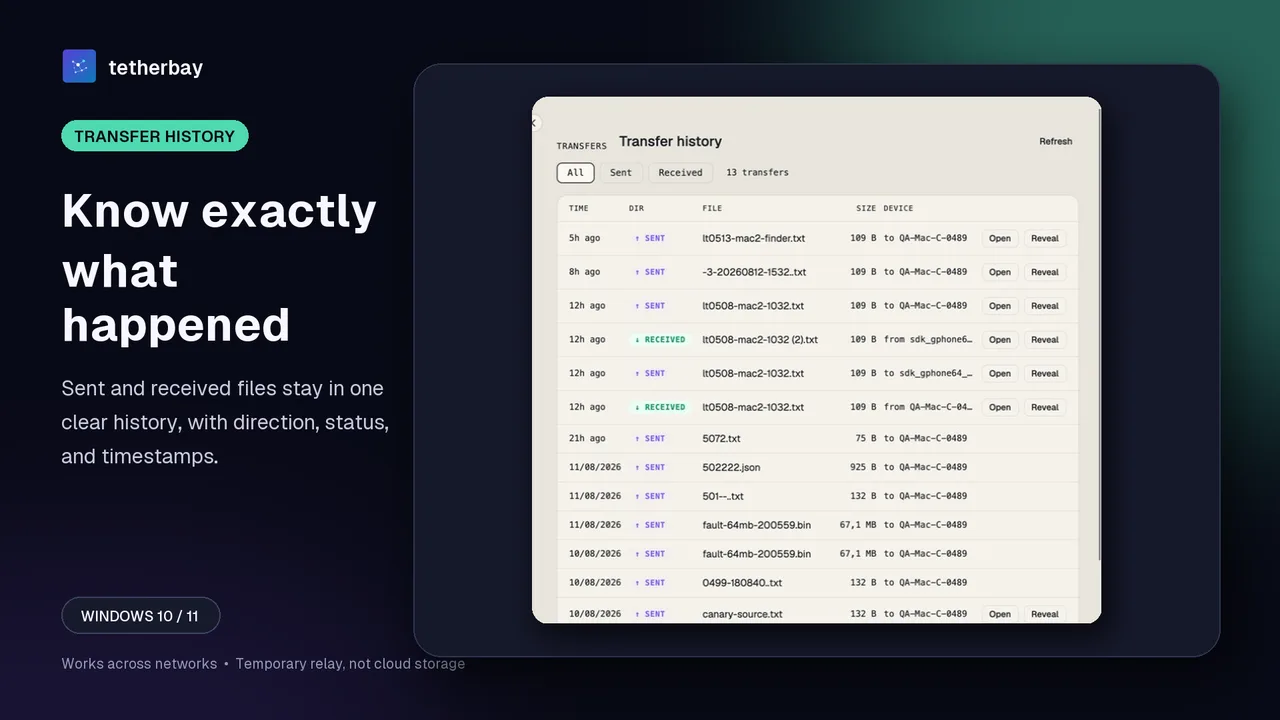
For large modified files in a synced folder, the desktop app avoids re-uploading unchanged bytes whenever an earlier version of the file is already known, sending a FastRsync binary delta instead. That means less data to upload when you tweak a large archive or document while another computer is offline.
What the relay sees and practical queue limits
Holding ciphertext temporarily creates a clear boundary between content confidentiality and operational metadata. The relay cannot open AES-256-GCM encrypted folder contents or clipboard payloads because keys never leave participating devices. However, as documented on the encryption page and the security overview, the relay does see file names and file sizes, plus the item type, source device, and timestamp for clipboard entries.
Two operational boundaries also matter when planning offline transfers. First, the relay keeps changes only for a limited time that depends on your plan (see relay help), so a change is only guaranteed to be waiting within that time. Second, on mobile, Foldpair's Android client supports one-off inbox and outbox transfers rather than continuous mobile folder sync, and there is no public iOS release yet.
If you share a folder with teammates or clients rather than only your own laptops, Foldpair assigns each participant an Owner, Editor, or Reader role. A Reader can pull queued files once their computer reconnects, while the server rejects any upload or edit from a Reader account. Your personal clipboard sync remains strictly separate on every plan—with an independent switch on each device—so folder collaborators never see copied text or images.
How to queue folder changes for an offline computer with Foldpair
- Download Foldpair and install it on both computers (Windows, macOS Apple Silicon/Intel, or Linux x64/arm64).
- Sign in on the first computer and link the second computer: on a device already signed in choose Add another device, then on the other computer scan the QR code, open the link, or paste the link or code (device pairing).
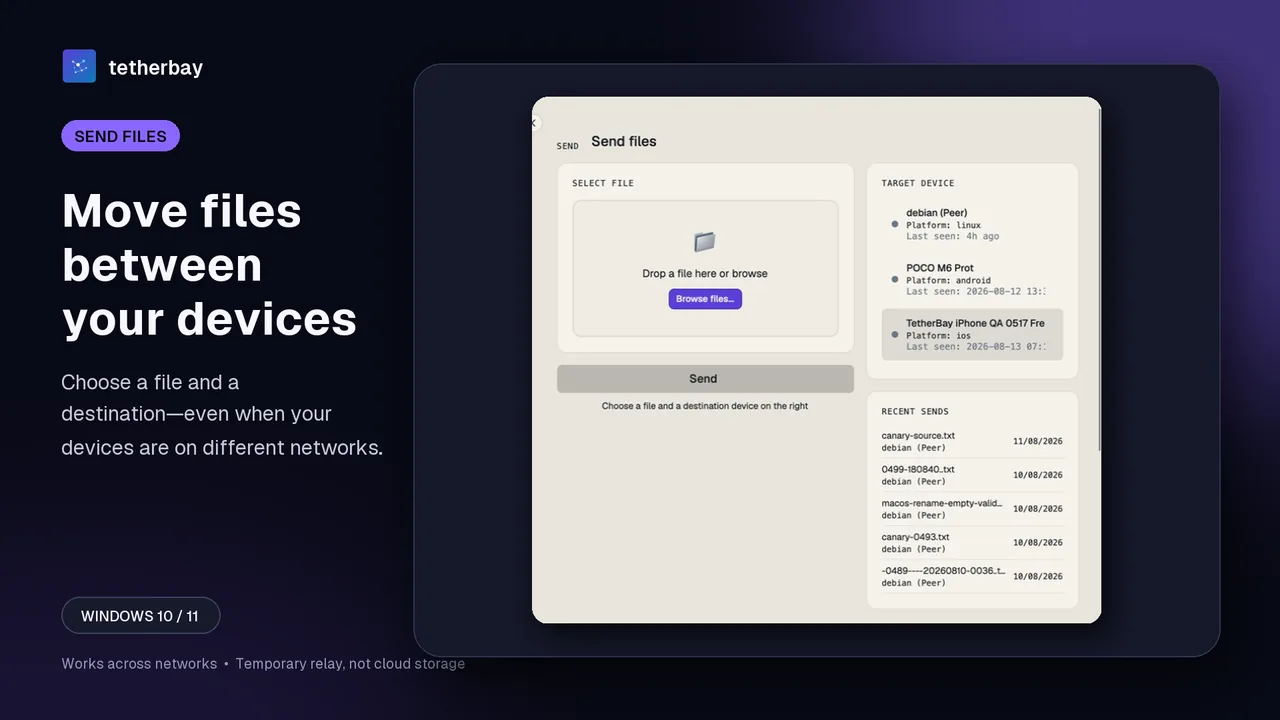
- For continuous updates, add a folder on the first computer and switch it on for the second device in the folder's device list (the Access dialog on the Folders screen).
- Test asynchronous delivery once: put the second machine to sleep, add a small harmless test file on the first computer, wait until the upload has finished, then shut down the first computer and wake the second to verify the file arrives intact.
- Keep a separate backup of irreplaceable data, and monitor large queues via Check sync status if you are close to your plan's 1.5 GB Free or 10 GB Pro in-flight limit.
When LAN P2P or permanent cloud storage is the better fit
- Choose Syncthing or Resilio Sync with an always-on node if you already run a 24/7 home NAS or server and would rather not depend on a vendor relay service; Syncthing's docs say its relays are used only when two devices cannot communicate directly.
- Choose LocalSend if both computers are on the same Wi-Fi right in front of you and you never need asynchronous delivery.
- Choose a cloud drive if you specifically want a permanent remote copy accessible from any web browser even when every personal computer is lost, offline for months, or wiped.
- Choose Foldpair when two computers rarely overlap online across different networks, you do not want to maintain a NAS or cloud storage drive, and you want AES-256-GCM device-side encryption of your synced folder contents.
If you are also comparing relay architectures side by side, see Foldpair vs Resilio Sync and sync files across different networks.
Frequently asked questions
Do both computers need to be powered on at the same time to sync with Foldpair?
No. You can add files or edit a synced folder while the other computer is asleep or powered off. Encrypted changes wait on the relay and arrive when the other device comes back online, for a limited time that depends on your plan (see relay help).
How much data can wait for an offline computer?
The authenticated temporary relay holds up to 1.5 GB in flight on the Free plan and 10 GB in flight on the Pro plan. A file larger than the plan's total buffer cannot transfer; a file that only exceeds the currently free buffer space waits until space frees up (see relay help).
Do Syncthing and Resilio Sync deliver changes to a laptop that was closed?
Syncthing's relaying page says a relay "only retransmits the encrypted data much like a router", and Resilio's 2016 brief says relay pieces "are never stored at rest". Neither source describes a queue for an offline device, so in our reading a changed file needs an online peer that has it; an always-on peer or NAS is one way to provide that. Resilio's wording is about relay pieces; the peers' own disks still hold the data.
Does Foldpair keep my files on the relay permanently?
No. Foldpair's relay is not cloud storage and has no web file browser or storage plans. It carries encrypted sync data between your devices, and changes wait there only for a limited time that depends on your plan (see relay help).
What happens if I lose internet or have a VPN enabled while sending?
Foldpair is designed to work across different networks and alongside an existing VPN. This page does not document how an interrupted upload resumes.
Related guides and comparisons
Sources and related reading
- Foldpair relay buffer help — first-party documentation of temporary buffer clearing after delivery/retention, Free 1.5 GB and Pro 10 GB limits, and metadata visibility; checked November 16, 2026.
- How Foldpair works — first-party explanation of device-side AES-256-GCM encryption and temporary relay transport; checked November 16, 2026.
- LocalSend official site — confirms local Wi-Fi transfer model with no servers and no internet required; checked November 16, 2026.
- Syncthing — Relaying — explains that Syncthing relays retransmit encrypted traffic between connected peers when direct connections fail; checked November 16, 2026.
- Resilio Sync — Security & Privacy Brief — states that Resilio relay pieces are never stored at rest on relay servers; checked November 16, 2026.