Start with the worry that brought you here
Different concerns prompt people to evaluate alternatives to Dropbox. Find your primary priority in the table below; competitor entries draw strictly from Dropbox documentation cited at the foot (checked 16 November 2026) alongside Foldpair's own specs, flagging any topic where cited pages stay silent.
| If your concern is | Dropbox, as documented | Foldpair |
|---|---|---|
| My files should not sit on a vendor's servers | Your files sit on Dropbox's servers; the website and the apps are windows onto them. | Your working files stay on your devices. An authenticated temporary relay ferries encrypted sync data between them; it is not a cloud-storage product. |
| Who can read what is stored | Dropbox documents TLS in transit and 256-bit AES at rest. Its end-to-end route is the encrypted team folder, listed for the Business Plus, Advanced and Enterprise tiers. | For folders with end-to-end encryption on, contents are encrypted on the device with AES-256-GCM before relay transport, and keys stay on participating devices. The desktop app enables it by default for folders you own, once every device in the folder supports it. |
| What metadata leaks | Dropbox's wording for encrypted team folders: file content stays encrypted, filenames and other metadata do not. | The relay is unable to open encrypted contents, yet it sees file names and sizes, and for clipboard items the type, source device and time. |
| The free tier is too small | The free Dropbox Basic tier offers 2 GB and connects up to 3 devices. | The free plan costs $0 and carries a 1.5 GiB in-flight relay buffer (10 GiB on Pro). That is a delivery queue, not storage for your library. |
| I need to recover a deleted file | Basic keeps deleted files and versions for 30 days; per the Plans page the window is 30 days (Plus), 180 days (Standard) and a year (Advanced). | Not offered as a service: sync copies deletions to your other devices, so keep your own backup. |
| I share folders with clients | A shared folder counts against each member's space, unless all members are on one Dropbox team. | Each member keeps a copy on their own disk, so no cloud quota is consumed per member. Access is Owner, Editor or Reader. |
Our cited Dropbox pages omit two mechanics: binary delta transfers and offline queuing behaviour. For Foldpair, desktop clients can transmit a FastRsync binary delta strictly on directories without end-to-end encryption, whereas end-to-end encrypted directories upload modified files whole.
Where your files actually live
Nearly every practical difference between a hosted cloud drive and a sync relay stems from one architectural fact: whether a full copy of your folders lives on vendor infrastructure. Dropbox's security overview describes dedicated backend services handling metadata alongside raw block storage. Because files reside on Dropbox servers independent of any single workstation, browser viewing and server-side restore become possible.
Foldpair maintains no hosted file library. Pending updates sit on the relay, as ciphertext whenever folder encryption is enabled, strictly while target machines are offline, and the relay purges those bytes once all participating endpoints acknowledge receipt or your plan's retention window expires (relay help). By design, there is no web file portal.
What 256-bit AES does and does not tell you
Storage vendors frequently advertise 256-bit AES as if cipher strength alone prevented server access. Dropbox's security documentation specifies TLS on the wire and 256-bit AES at rest without stating key custody on that page, meaning cipher names by themselves settle nothing about provider readability.
For end-to-end encryption, Dropbox offers encrypted team folders. Its help article restricts that capability to Business Plus, Advanced, and Enterprise plans, notes that administrators may generate recovery keys, and explains that server-rendered previews, full-text indexing, and shared links are restricted inside encrypted folders.
In Foldpair, end-to-end directories and clipboard entries are sealed locally using AES-256-GCM, TLS wraps transport, and the relay processes strictly ciphertext for those payloads. Any directory where end-to-end encryption was never switched on synchronizes as plaintext, so verify each folder's status. Review how Foldpair encryption works alongside our security overview to confirm that metadata visibility fits your needs.
Free limits, devices and shared-folder space
Dropbox Basic provides 2 GB of storage across up to three linked devices. According to Dropbox's shared-folder quota guide, shared directories count against every participant's allowance unless all members belong to the same Dropbox team, meaning a 5 GB project folder exceeds a 2 GB Basic account.
Foldpair meters in-flight transit rather than total disk space. Undelivered relay buffers cap at 1.5 GiB on Free and 10 GiB on Pro, and any file exceeding currently available buffer headroom waits until receiving machines catch up. Consult relay help for queue-clearing tips, such as keeping oversized archives out of synced paths.
When Dropbox is the better choice
Choose Dropbox whenever a server-hosted copy is part of the goal. Should a laptop fail without local backups, your folders remain on Dropbox servers, backed by deleted-file recovery spanning 30 days on Basic and Plus, 180 days on Standard, and 1 year on Advanced. Dropbox also leads when you need browser access from a borrowed machine or browser previews across more than 175 file types as listed on the Dropbox Basic page.
Companies requiring administrator recovery keys should review Dropbox's encrypted team folder documentation directly. Additional enterprise compliance features fall outside the Dropbox pages cited here.
When Foldpair is the better choice
Choose Foldpair when keeping working directories off third-party cloud drives comes first, when local AES-256-GCM encryption ahead of relay transit matters, when external clients need shared deliverables without buying cloud storage, or when you want desktop clipboard sync for text and images across personal machines. Walk through collaborator roles in client and team sharing.
Move a folder over in six steps
- Download Foldpair for your Windows, macOS or Linux machines; the free plan asks for no card.
- From a signed-in device choose Add another device, then scan the QR code or open or paste the link or 6-digit code on the second computer (device pairing).
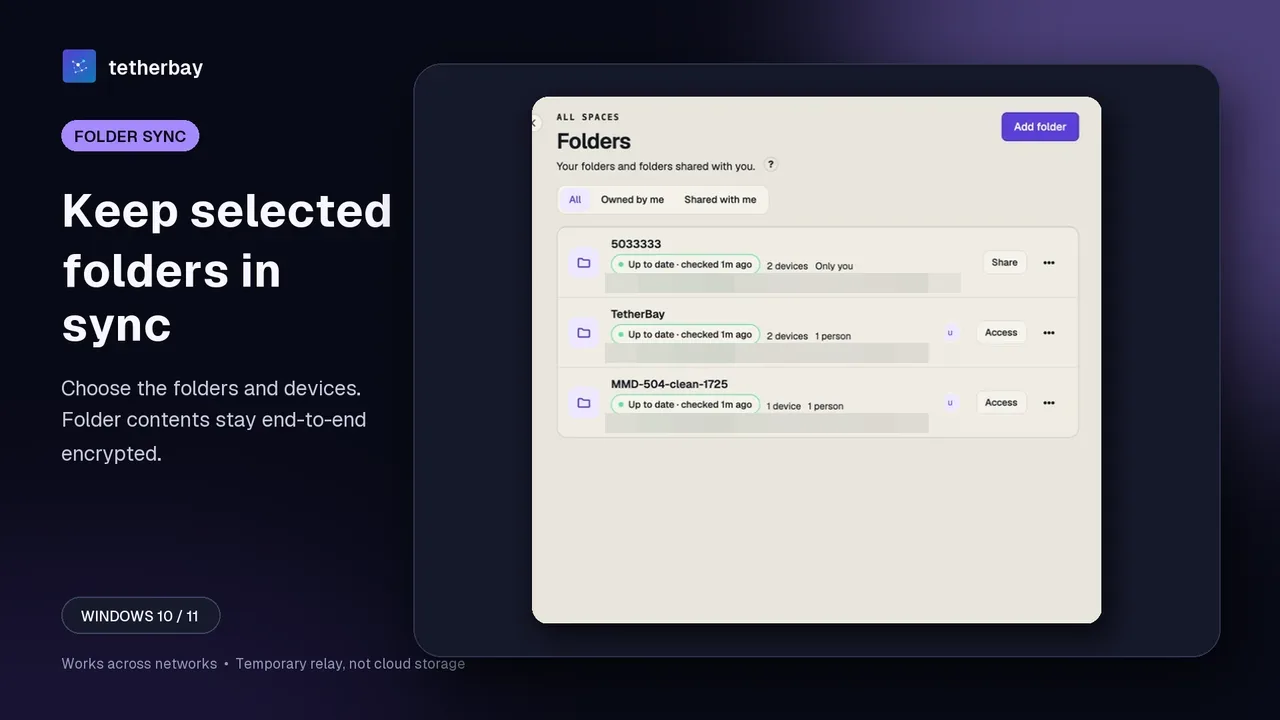
- Pick Add folder on the main machine and choose only the directories to sync.
- Open the folder's device list and flip on each machine that should hold it (selective sync); outsiders get an invitation as Editor or Reader.
- Start with one harmless file, and keep a backup of your own because sync mirrors edits and deletions.
- Open check sync status to confirm that your devices agree.
Sources and common questions
All Dropbox specifics were checked on 16 November 2026 against five official pages: Security Overview, Encrypted Team Folders, Basic, Plans, and Shared Folder Storage. No speed benchmarks were conducted.
Is Dropbox end-to-end encrypted?
Dropbox's pages cover TLS in transit and 256-bit AES at rest. Its end-to-end option, encrypted team folders, is limited to Business Plus, Advanced and Enterprise accounts; nothing we cite covers other tiers.
Can Foldpair stand in for a cloud backup?
No. The relay is temporary and not a backup service. Sync copies edits and deletions across devices, so keep an independent backup of anything irreplaceable.
Does Dropbox's 2 GB free limit apply to Foldpair?
No, because Foldpair is not cloud storage. Its free plan has a 1.5 GiB in-flight relay buffer (10 GiB on Pro), and a single file larger than the free room waits in the queue.
What can each service see?
Dropbox says metadata is plain-text visible in encrypted team folders. Foldpair's relay cannot read encrypted contents but sees file names and sizes.
Does Foldpair run on iPhone or sync folders on Android?
Not yet. It runs on Windows, macOS and Linux desktops, Android handles one-off file transfers only, and iOS has no public release.
Will my client need storage space for a shared folder?
No. Nobody is charged cloud space per member; invited Editors and Readers hold working copies on their own devices.
Related guides and comparisons
Sources and related reading
- Dropbox Help: how Dropbox keeps your files secure — Source for the encryption-in-transit and at-rest statements and the split between metadata and block storage services.; checked November 16, 2026.
- Dropbox Help: team folder encryption — Source for the team-folder end-to-end option, its plan list, the metadata caveat, recovery keys and feature limits.; checked November 16, 2026.
- Dropbox Basic — Source for the free-tier storage, device count, recovery period and preview claims.; checked November 16, 2026.
- Dropbox plans — Source for per-plan recovery periods and where end-to-end encryption is listed.; checked November 16, 2026.
- Dropbox Help: shared folders and storage space — Source for how shared folders count against member storage.; checked November 16, 2026.
- How Foldpair encryption works — Foldpair's own description of device-side encryption and relay visibility.; checked November 16, 2026.
- Foldpair relay help — Foldpair's own description of plan buffers and the relay's role.; checked November 16, 2026.